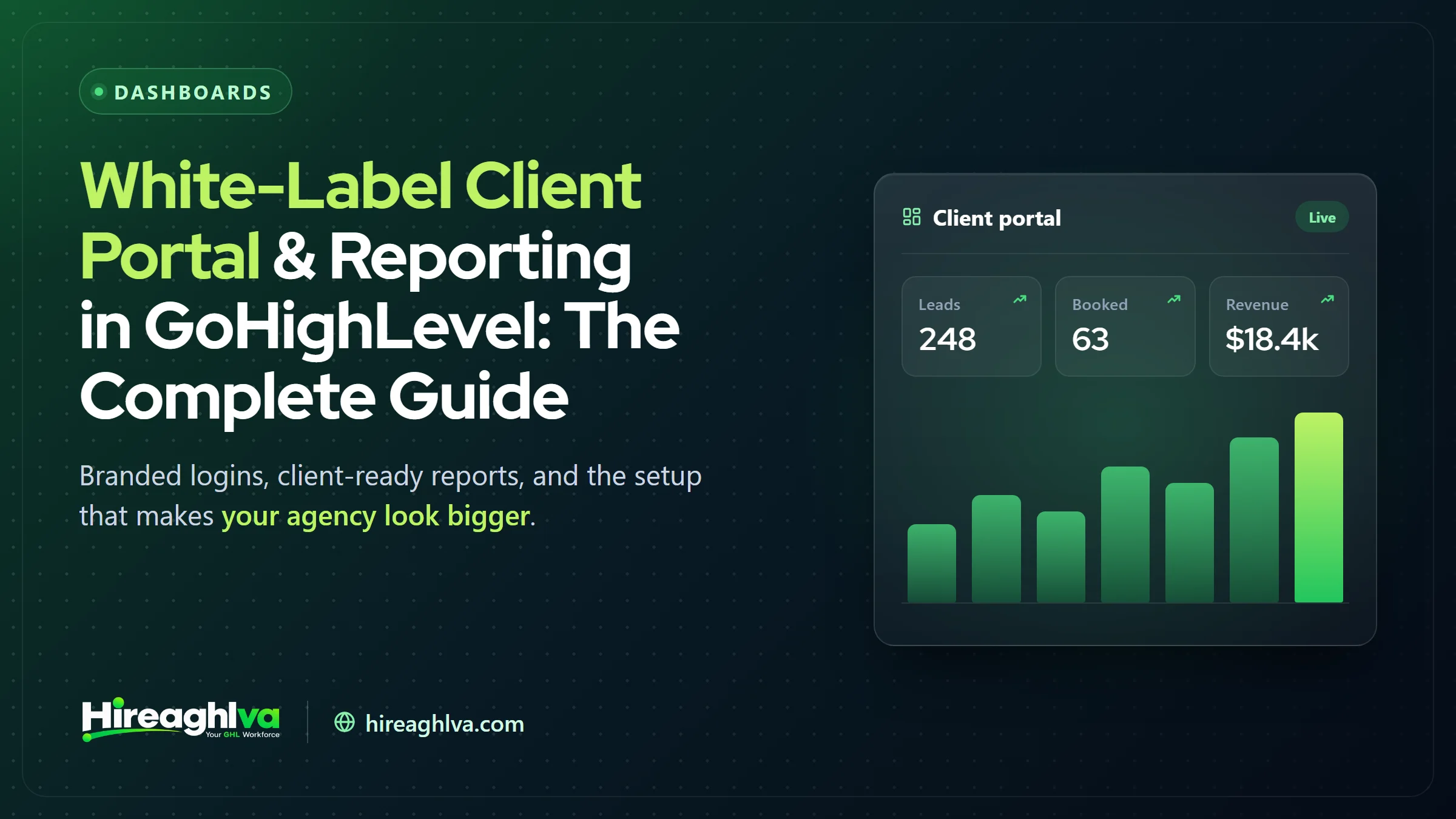
A GoHighLevel white-label client portal replaces GoHighLevel’s own branding with your agency’s logo, colors, custom domain, customized reporting dashboard, and optionally a branded desktop app, starting on the $297/month Unlimited tier. Every client-facing agency eventually hits the same realization, usually after enough client conversations reveal it: a client logging into a visibly generic, unbranded platform quietly undermines the perceived value of everything else the agency does well, regardless of how strong the actual results being delivered are. GoHighLevel’s white-label capability exists to close that specific gap — your logo, your colors, your domain, and (optionally) your own branded desktop app standing in for GoHighLevel’s own identity entirely, so the platform reads as proprietary rather than borrowed. This guide covers what white-labeling actually includes layer by layer, how to set each piece up properly, and how the native approach genuinely stacks up against bolting a separate third-party reporting tool on top instead of relying on GoHighLevel’s own capabilities.
Unlimited tier+
White-labeling requires the $297/mo plan or higher — not available on Starter
Logo + domain + app
Three layers of white-labeling, from basic branding to a full custom desktop app
macOS · Windows · Linux
The branded desktop app builds across all three major platforms
What does white-labeling include in GoHighLevel?
GoHighLevel white-labeling includes four layers: logo and color branding, a custom login domain, reporting dashboard customization through Custom CSS/JS, and a fully branded desktop app.
White-labeling isn’t a single toggle — it’s a set of layered capabilities, and most agencies don’t need every layer to get the bulk of the perceived-value benefit.
Logo & color branding
- What it does
- Your logo and palette replace GoHighLevel's default branding throughout the interface
Custom domain
- What it does
- Clients log in at your own domain rather than a GoHighLevel-branded URL
Reporting dashboard customization
- What it does
- Custom CSS/JS lets you rename, hide, or restyle sections of the analytics dashboard
Branded desktop app
- What it does
- A fully custom desktop application, distributed under your own name and icon
| What it does | |
|---|---|
| Logo & color branding | Your logo and palette replace GoHighLevel's default branding throughout the interface |
| Custom domain | Clients log in at your own domain rather than a GoHighLevel-branded URL |
| Reporting dashboard customization | Custom CSS/JS lets you rename, hide, or restyle sections of the analytics dashboard |
| Branded desktop app | A fully custom desktop application, distributed under your own name and icon |
Which GoHighLevel plan do you need for white-labeling?
GoHighLevel white-labeling, including the branded desktop app, requires the Unlimited tier ($297/month) or higher; it is not available on the entry-level Starter plan.
If reselling GoHighLevel under your own brand entirely (rather than just white-labeling purely for your own agency’s internal client-facing use) is the actual goal, Agency Pro (SaaS Pro, $497/month) layers rebilling on top of that same white-label foundation — our GoHighLevel vs. HubSpot pricing comparison shows how those flat-rate tiers stack up for agencies.
| Item | Value |
|---|---|
| Unlimited (white-label) | 297 |
| Agency Pro / SaaS Pro (white-label + rebilling) | 497 |
Setting up basic browser-based white-labeling
This is the fastest layer to implement and covers most of the value on its own: upload your logo and set your color palette in Agency Settings, then configure a custom domain so clients access the platform at your own URL rather than a generic GoHighLevel-branded one. GoHighLevel also accepts Custom CSS/JS in Agency Settings for deeper customization — renaming menu items, hiding features clients don’t need to see, and restyling the reporting dashboard specifically to match your brand more closely than the default palette swap alone achieves.
Basic browser-based white-labeling — logo, colors, custom domain — takes under an hour to configure and delivers the large majority of the “this feels like our own platform” perception clients actually notice. Treat the desktop app (covered next) as a further enhancement, not a prerequisite to getting real white-label value.
Building the white-label desktop app
For agencies wanting the most polished, most genuinely differentiated client experience, HighLevel’s Desktop App Customizer builds a fully branded application across macOS, Windows, and Linux, replacing browser access entirely for clients who prefer a dedicated app. The process runs through the Agency Dashboard’s Desktop App tab (HighLevel Support, White-Label Desktop App Setup Guide):
1-2
Configure theme, icon, app name, and logo (scales to 512×128px) in the Customizer
3
Review your branding in a live preview before submitting
4-5
Save your configuration, then submit for HighLevel's automated build
6-7
Distribute the app and enable a Promote banner across sub-accounts
The app name can’t be changed once submitted for build — confirm your final naming decision before submitting, since changing it later means starting the build process over rather than a quick edit.
White-label branding vs. Agency Pro rebilling — how they relate
These two capabilities get conflated often enough to be worth separating explicitly. White-labeling — the branding, custom domain, and desktop app covered above — is available starting on the Unlimited tier and controls what clients actually see when they log in. Rebilling, exclusive to Agency Pro (SaaS Pro), controls what clients pay — the ability to charge your own price for the platform and mark up usage-based costs (SMS, email, AI) as a revenue line rather than a pass-through expense. You can white-label without rebilling (using Unlimited purely to present a more polished internal client experience without charging separately for platform access), but you can’t rebill without also having the white-label foundation in place, since a resold product needs to look like your own product to be sold as one. For why the see side matters so much to client perception, read our guide to custom branded GoHighLevel dashboards.
What agencies actually customize with Custom CSS/JS
The Custom CSS/JS option in Agency Settings is more powerful than most agencies initially realize, and it’s worth knowing the realistic scope of what it enables versus what it doesn’t. Commonly customized: renaming default menu items and field labels into client-friendly language, hiding features or menu sections clients don’t need to see (reducing interface clutter and confusion), and restyling specific dashboard elements to match brand colors more precisely than the base palette swap achieves. Generally not realistic through Custom CSS/JS alone: fundamentally restructuring how data is organized or building entirely new report types not native to GoHighLevel’s underlying data model — for that level of customization, a genuinely custom-built dashboard (our custom dashboards service covers this specifically) is the more realistic path than trying to force it through CSS overrides on top of the existing structure.
A practical rule of thumb: if the customization is about how something looks or is labeled, Custom CSS/JS usually gets you there. If it’s about what data is shown or how it’s calculated, that’s a dashboard-build problem, not a styling problem — trying to solve the second kind of need with CSS alone tends to produce a fragile, hard-to-maintain result.
Introducing the white-labeled portal to clients
The rollout itself matters almost as much as the technical setup — a client who discovers the rebrand without context may not register it as a deliberate upgrade at all, just a confusing interface change. Frame it explicitly during onboarding or in a dedicated announcement: this is now your own branded client platform, here’s what’s changed, here’s what stayed the same. For existing clients being migrated onto a newly white-labeled setup, a short walkthrough (even a two-minute recorded video) showing the new login and highlighting where their key reports live meaningfully increases actual portal usage compared to a silent switch with no explanation.
Building a client portal clients actually check
White-labeling only solves the branding half of the problem — a beautifully branded portal nobody logs into delivers the same zero perceived value as an unbranded one. Our dashboards clients actually trust guide covers this in depth, but the core principle bears repeating here: the dashboard needs to surface a small number of metrics the client genuinely cares about (leads generated, response time, appointments booked, review requests sent) prominently, rather than exposing GoHighLevel’s full native reporting surface and expecting clients to find what matters to them on their own.
White-label native reporting vs. a dedicated third-party tool
This is a genuinely common decision point for agencies already paying for (or considering) a standalone reporting platform like AgencyAnalytics or ReportGarden on top of GoHighLevel:
Additional cost
- GoHighLevel native (white-labeled)
- None beyond your existing Unlimited/Agency Pro plan
- Dedicated reporting tool (AgencyAnalytics, ReportGarden, etc.)
- Separate subscription, typically scales per client
Data sources covered
- GoHighLevel native (white-labeled)
- Everything native to GoHighLevel — leads, calls, texts, appointments, reviews
- Dedicated reporting tool (AgencyAnalytics, ReportGarden, etc.)
- Unifies GoHighLevel plus external platforms (Google Ads, Meta Ads, SEO tools) in one report
Setup complexity
- GoHighLevel native (white-labeled)
- Custom CSS/JS and dashboard configuration inside GHL
- Dedicated reporting tool (AgencyAnalytics, ReportGarden, etc.)
- Separate tool, its own integration and client-access setup
Best for
- GoHighLevel native (white-labeled)
- Agencies whose client value is primarily GoHighLevel-driven activity
- Dedicated reporting tool (AgencyAnalytics, ReportGarden, etc.)
- Agencies reporting across many non-GHL channels for the same client
| GoHighLevel native (white-labeled) | Dedicated reporting tool (AgencyAnalytics, ReportGarden, etc.) | |
|---|---|---|
| Additional cost | None beyond your existing Unlimited/Agency Pro plan | Separate subscription, typically scales per client |
| Data sources covered | Everything native to GoHighLevel — leads, calls, texts, appointments, reviews | Unifies GoHighLevel plus external platforms (Google Ads, Meta Ads, SEO tools) in one report |
| Setup complexity | Custom CSS/JS and dashboard configuration inside GHL | Separate tool, its own integration and client-access setup |
| Best for | Agencies whose client value is primarily GoHighLevel-driven activity | Agencies reporting across many non-GHL channels for the same client |
The honest recommendation, stated plainly: if the story you’re telling clients is mostly about what’s happening inside GoHighLevel itself — leads captured, calls answered, appointments booked, reviews generated — native white-labeled reporting is genuinely sufficient on its own and comes at no additional cost beyond your existing plan. A dedicated tool earns its subscription cost specifically when a client’s full marketing picture spans platforms GoHighLevel doesn’t touch, and unifying that picture in one branded report is worth more to the relationship than the extra line-item cost.
Common mistakes in white-label rollouts
Branding the login screen but leaving generic menu labels and default terminology untouched. A client who logs into a beautifully branded portal and immediately sees GoHighLevel’s own default field names and menu structure notices the inconsistency — Custom CSS/JS renaming is worth the extra setup time for a fully coherent experience.
Rolling out white-labeling once and never testing it from a client’s actual login. Log in as a genuine test client user (not just as the agency admin) periodically to confirm branding, dashboard visibility, and permissions all look correct from the client’s actual vantage point — an admin-level view can look perfectly branded while a client-level login still quietly shows gaps nobody noticed.
Treating the desktop app as mandatory before launching anything. Basic browser-based white-labeling alone is already enough to genuinely launch client-facing white-labeling; the desktop app is worth building once you have real bandwidth for it, not a blocker standing in the way of starting with the higher-value, lower-effort layer first and expanding later.
Not updating the app name/branding consistently across every sub-account. For agencies managing many clients under one Agency Pro account, inconsistent branding — some clients seeing the full white-label treatment, others still seeing default GoHighLevel branding — undermines the professional consistency the whole effort is meant to build.
A worked example: a 20-client digital marketing agency
Take an agency on Agency Pro managing 20 client sub-accounts, previously running each client’s login with default GoHighLevel branding.
Phase 1 (basic white-labeling, ~1 hour): Agency logo, brand colors, and a custom domain (portal.agencyname.com) configured once at the agency level, automatically applying across all 20 sub-accounts.
Phase 2 (dashboard customization, ~half day): Custom CSS/JS applied to rename the reporting dashboard’s default sections into client-friendly language (“Leads Generated” instead of raw pipeline stage counts, “Response Time” instead of a generic activity log), rolled out as a template across all 20 accounts.
Phase 3 (desktop app, ~1 day including HighLevel’s build time): A fully branded desktop app submitted, built, and distributed to clients via onboarding materials, replacing browser-only access with a more polished, differentiated client touchpoint.
White-label rollout phases in the 20-client agency example
| Phase | What gets done | Approximate time |
|---|---|---|
| 1. Basic white-labeling | Logo, brand colors, custom domain set once at agency level | ~1 hour |
| 2. Dashboard customization | Custom CSS/JS renames reporting sections, rolled out as a template | ~Half day |
| 3. Desktop app | Branded app submitted, built by HighLevel, distributed to clients | ~1 day incl. build time |
| Total | Reusable across every future client added | ~1.5 days |
Result: Client-facing perception shifted from “we’re using some generic CRM tool” to “this agency has its own proprietary platform” — a genuine differentiation that took roughly 1.5 days of total setup time spread across the three phases, reusable indefinitely across every future client added to the roster. New clients onboarded after the rollout now receive the fully branded experience from their very first login, folded directly into the standard onboarding checklist rather than requiring a separate retrofit step — which is the detail that keeps the investment paying off as the client roster continues to grow rather than becoming a one-time project that quietly drifts out of date.
Getting this set up without doing it yourself
Basic browser-based white-labeling is genuinely simple, but a full rollout — desktop app branding, dashboard restyling via Custom CSS/JS, and consistent application across every existing client sub-account — is real, detail-heavy work, and mistakes here are visible directly to paying clients rather than staying internal. A GoHighLevel VA (here’s what to expect when hiring one, or hire a GoHighLevel VA directly) or our custom dashboards service can handle the full rollout — branding, domain configuration, dashboard customization, and testing from an actual client-level login — in far less time than most agency owners would spend learning the Custom CSS/JS syntax and desktop app builder well enough to get a polished result on a first attempt.
Multi-brand agencies: a more complex case
Some agencies operate under multiple distinct brands — a holding company running two or three differently-branded client-facing businesses from one underlying GoHighLevel agency account. This is a genuinely more complex white-label scenario than the single-brand case covered above, since GoHighLevel’s white-label branding generally applies at the agency-account level, not per sub-account or per brand. Agencies in this position typically need either separate agency-level accounts per brand (with the associated cost of multiple Unlimited or Agency Pro subscriptions), or a single brand identity applied consistently with client-facing brand distinctions handled outside the platform itself (in email communications, contracts, and marketing materials, even if the underlying portal branding stays unified). There’s no perfect native solution for true multi-brand white-labeling within a single agency account, which is worth knowing before committing to a rollout plan if this describes your business structure.
Reporting for multi-client agencies at scale
The setup work above — dashboard customization, branding, terminology — is worth building once as a reusable template rather than reconfiguring per client, exactly the same principle covered in our snapshot marketplace guide. A well-built white-label and reporting template belongs in your standard onboarding snapshot (or a prebuilt GoHighLevel snapshot you start from) for every new client sub-account, so a new client gets the full branded experience from day one rather than starting on default GoHighLevel branding until someone remembers to apply it manually.
Is the $297/month worth it just for white-labeling?
This is genuinely worth answering honestly rather than simply assuming white-labeling alone justifies the full Unlimited tier upgrade on its own. If you’re already on Unlimited for its other benefits (unlimited sub-accounts, API access), white-labeling is effectively a bonus feature at no marginal cost. If you’re specifically weighing Starter against Unlimited and white-labeling is the deciding factor, the honest framing is: white-labeling is a perception and differentiation play, not a functional necessity — clients generally still get full value from the underlying platform regardless of whose logo sits at the top of the screen. It’s worth the upgrade specifically when your competitive positioning depends on appearing as a proprietary, differentiated platform rather than a visible reseller of a well-known third-party tool — a genuine, practical consideration for agencies competing directly against others who are also reselling that same underlying platform to a similar client base.
What about a white-label mobile app?
Beyond the desktop app covered above, GoHighLevel also supports white-labeled mobile app access, letting clients access their branded portal from a mobile device under the same custom branding rather than a generic GoHighLevel mobile app. This matters most for clients who primarily check in on the go rather than at a desk — a field-service business owner glancing at leads between jobs, for instance — where a desktop-only white-label rollout would leave their single most common access pattern still showing default, unbranded GoHighLevel styling regardless of how thorough the desktop setup was. The mobile app follows the same underlying branding configuration as the desktop app (logo, colors, name), so there’s minimal additional setup work once the desktop app branding is already configured — it’s largely a matter of extending the same existing brand assets to the mobile build rather than starting a genuinely separate design and configuration project from scratch.
Measuring whether white-labeling and the portal are actually landing
Setup effort alone doesn’t confirm client-side impact — a few concrete signals are worth tracking after rollout. Portal login frequency per client, tracked before and after the white-label rollout, is the single most direct measure available of whether the new branded experience is actually getting used more, not just looking more polished in isolation. Client-initiated questions about specific report data (rather than generic “how do I log in” confusion) signal the dashboard is surfacing information clients find genuinely relevant enough to ask follow-up questions about, rather than glancing at once and never returning. Retention and renewal conversations referencing the platform experience specifically — clients citing “having our own branded system” unprompted as a reason they value the relationship — is the clearest qualitative signal available that the investment is paying off in exactly the way it’s intended to.
Login frequency
Track before/after rollout as the most direct usage signal
Client feedback
Unprompted mentions of the branded platform in retention conversations
Frequently asked white-label questions
“Does white-labeling affect GoHighLevel’s own support responsiveness?” No — white-labeling changes what clients see, not your own agency’s support relationship with GoHighLevel directly, which continues unchanged regardless of how deeply you’ve white-labeled the client-facing experience.
“Can I white-label only some client accounts and leave others on default branding?” Technically yes, though there’s rarely a good reason to — inconsistent branding across your client roster undermines the professional polish white-labeling is meant to build, and the setup, once done at the agency level, generally applies uniformly with little extra effort to keep it consistent everywhere.
“What happens to a client’s login if I later change my agency’s branding?” Updated branding (new logo, new colors) propagates to existing client logins automatically once changed at the agency level — clients don’t need to be individually reconfigured, though it’s worth a quick review across a few sub-accounts after any major rebrand to confirm nothing looks inconsistent.
“Do I need design skills to make white-labeling look genuinely polished, or is the default template enough?” A logo and brand-color swap alone, without any further Custom CSS/JS work, already looks meaningfully more professional than default GoHighLevel branding — you don’t need deep design skills to get real value from the basic layer. The more advanced dashboard restyling benefits from either design experience or working with someone who has it, since a poorly executed custom styling pass can look worse than the clean default rather than better.
“Can white-labeling be undone if we decide it’s not worth maintaining?” Yes — branding, custom domain, and dashboard customizations can all be reverted or simplified at any time without affecting the underlying account data, contacts, or automations in any way. There’s no lock-in risk to trying white-labeling and scaling back the effort later if it turns out not to be worth the ongoing maintenance for your specific client base.
“Does a white-labeled portal need to be maintained differently than the default GoHighLevel interface?” Mostly no — the underlying platform updates and improvements from GoHighLevel apply the same way regardless of white-labeling, though it’s worth periodically checking that Custom CSS/JS customizations haven’t broken against a platform update, since CSS overrides can occasionally conflict with interface changes on GoHighLevel’s side in ways a fully native, unmodified interface wouldn’t.
Bringing it together
White-labeling in GoHighLevel is genuinely layered, not all-or-nothing — basic browser-based branding (logo, colors, custom domain) delivers most of the perceived-value benefit in under an hour, while the desktop app is a further, optional enhancement worth building once you have the bandwidth. Native reporting, white-labeled and customized with Custom CSS/JS, is sufficient for the large majority of agencies whose client story is primarily about GoHighLevel-driven activity — a dedicated third-party reporting tool earns its keep specifically when you’re unifying data from platforms outside GoHighLevel into one client-facing report.
If you take one thing from this guide, make it this: don’t let the desktop app (the most involved layer) become the reason white-labeling never gets started. Basic branding and a genuinely useful, client-friendly dashboard deliver the large majority of the value on their own, and the more involved layers are worth adding incrementally once the foundation is in place and working.
The agencies that get the most out of white-labeling treat it as an ongoing part of the client relationship, not a one-time setup task checked off and forgotten — periodically reviewing the client-side experience, keeping dashboard terminology current as your service offering evolves, and extending branding consistently to every new touchpoint (mobile, desktop app, onboarding materials) as the agency grows rather than letting new clients slip through onto default, unbranded access simply because the rollout process wasn’t built into standard onboarding from the start.
Written by the Hireaghlva GoHighLevel team
We build and run GoHighLevel accounts, automations, dashboards, and websites for agencies and local businesses across the US and Canada. This guide reflects that hands-on work, with sources cited inline where we reference outside data. Last reviewed September 13, 2026.