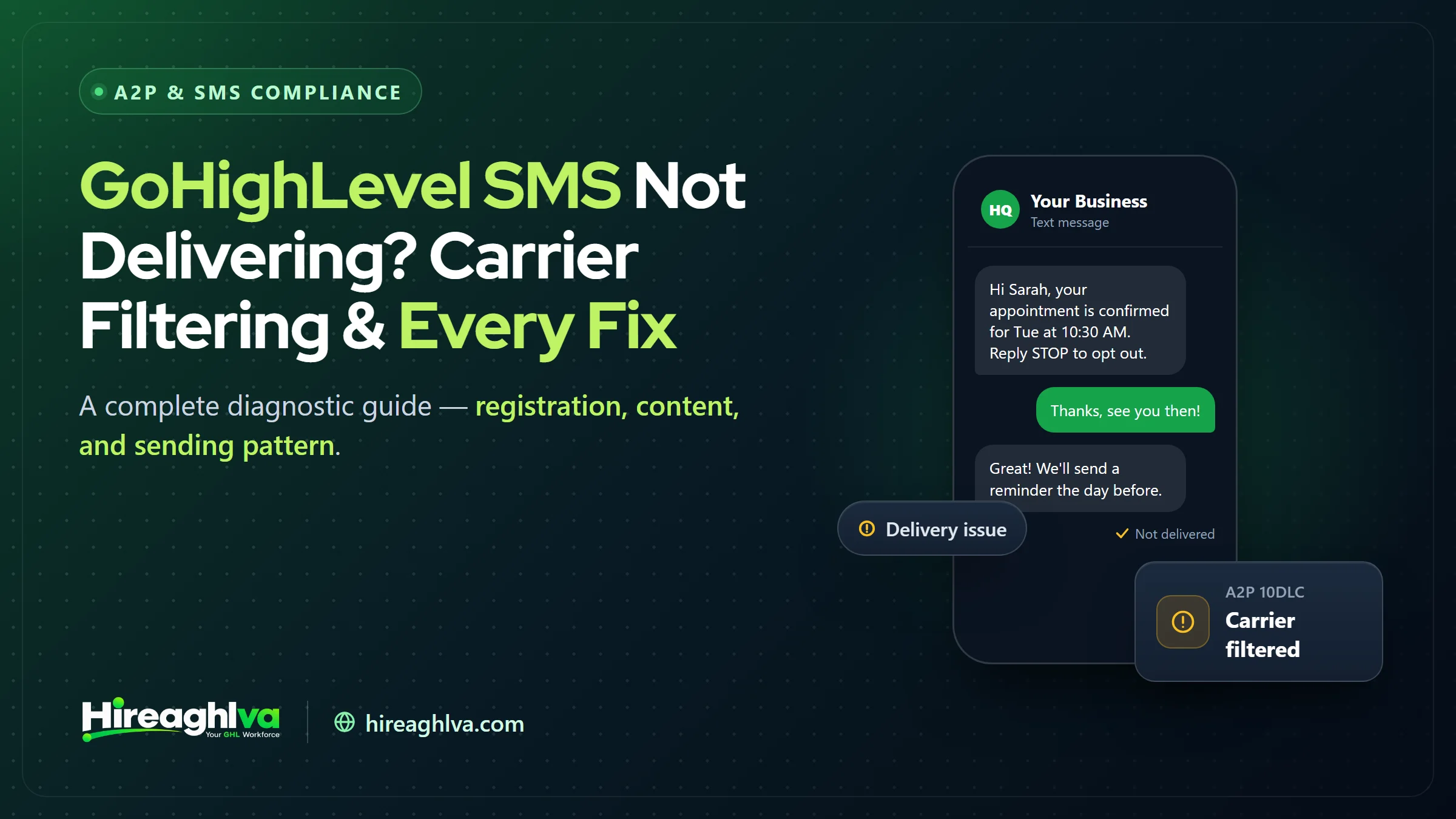
GoHighLevel SMS usually stops delivering for one of four reasons: an A2P 10DLC or toll-free registration that isn’t approved and linked to the sending number, carrier content filtering (public URL shorteners are the most common trigger), a sending pattern that triggers throttling, or a workflow configuration error. A workflow that used to reliably text customers suddenly stops working, or new automations never send at all — and GoHighLevel’s own interface doesn’t always make the cause obvious. This guide is a systematic diagnostic path through every common cause of SMS delivery failure in GoHighLevel, in the order you should actually check them, rather than a scattered list of possible causes you have to sift through yourself.
The frustrating part of SMS delivery troubleshooting is that a “failed” or missing message looks identical on the surface whether the cause is a registration gap, a content filter, a throughput limit, or a simple workflow misconfiguration — and each of those has a completely different fix. Working through the layers in order, rather than guessing based on whatever cause you happen to suspect first, is consistently the faster path to actually resolving it.
Feb 2025
When all major US carriers began blocking unregistered 10DLC traffic entirely
3 layers
Registration, content, and sending-pattern — each can independently cause failures
1st check
Always verify A2P/toll-free registration status before troubleshooting anything else
Start here: check registration status first
Before investigating content or sending patterns, rule out the most common root cause. Go to Settings → Phone Numbers → Trust Center and confirm two things: your A2P 10DLC campaign (or toll-free verification) shows as fully Approved, and the specific number you’re sending from is explicitly linked to that approved campaign. If you’re unsure which registration path applies to your number, our comparison of toll-free verification vs. A2P 10DLC in GoHighLevel explains the difference.
Since February 2025, all major US carriers block SMS and MMS traffic sent to US numbers from any 10-digit local number that isn’t tied to a registered, approved A2P campaign — no exceptions based on message content or your own opt-in practices. If registration isn’t fully complete and linked, nothing else in this guide will fix delivery (GHL Scale Up, 2026 A2P 10DLC guide).
If registration shows approved but you’re not certain the number is correctly linked, this is a more common gap than it sounds — an approved campaign that was never explicitly attached to the sending number behaves identically, from a delivery-failure standpoint, to having no registration at all. If registration is genuinely the issue, our step-by-step GoHighLevel A2P guide walks through fixing the linking step specifically. If your campaign shows rejected rather than approved, work through the common GoHighLevel A2P rejection reasons and fixes before touching anything else.
If your Campaign was registered through GoHighLevel’s newer Chat Widget (Pre-Built) path, there’s a specific gotcha worth checking here: carriers require the chat widget to be your only SMS consent point. If a checkbox got added back to a contact, lead, or appointment form after registration — a common accident when a team member edits a form later — it can trigger renewed carrier scrutiny or filtering on an otherwise properly approved campaign, even though nothing about your registration itself changed. The widget flow now also covers Mixed message types and Sole Proprietor accounts (HighLevel changelog), so this check applies to more accounts than it used to.
Why are GoHighLevel SMS messages not delivering?
Once registration is confirmed approved and linked, GoHighLevel SMS delivery failures generally trace back to one of three remaining layers: content flagged by carrier filters, a sending pattern that triggers throttling, or a workflow configuration error.
The three remaining causes once registration is confirmed valid
| Cause | What to check | Fix |
|---|---|---|
| Content flagged by carrier filters | Shortened links, ALL-CAPS urgency language, drift from your registered use case | Use full URLs, write clear conversational copy, keep content matched to the use case |
| Sending pattern triggering throttling | Oversized batches, sudden spikes against your baseline, rising opt-outs | Reduce batch sizes, ramp volume gradually, space messages out |
| Workflow or configuration errors | Sending number on the SMS step, trigger conditions, merge tags | Point the step at the right number, tighten triggers, test with real contact data |
Layer 1: content-based carrier filtering
Carriers run automated content filters independent of your registration status, and certain patterns get flagged reliably regardless of how compliant your underlying registration is.
Public URL shorteners. This is the single most common content-based filtering trigger we see. T-Mobile specifically blocks URL cycling and multiple redirects; AT&T blocks public shorteners like bit.ly and tinyurl.com outright. If your workflow templates include a shortened link — even one your CRM generated automatically for tracking purposes — swap it for a full, unshortened URL.
bit.ly, tinyurl.com, and similar public shorteners
- Filtered / high risk
- Safe
Full URLs on your own verified domain
- Filtered / high risk
- Safe
Generic ALL-CAPS urgency language ("ACT NOW!!!")
- Filtered / high risk
- Safe
Clear, specific, conversational message content
- Filtered / high risk
- Safe
| Filtered / high risk | Safe | |
|---|---|---|
| bit.ly, tinyurl.com, and similar public shorteners | ||
| Full URLs on your own verified domain | ||
| Generic ALL-CAPS urgency language ("ACT NOW!!!") | ||
| Clear, specific, conversational message content |
Spam-trigger keywords and patterns. Excessive punctuation, ALL-CAPS urgency language, and certain financial/promotional keyword combinations increase filtering risk, particularly for messages that also don’t clearly match your registered campaign use case.
Content mismatch with your registered use case. A campaign registered for “customer care” that starts sending marketing-style promotional content is more likely to get filtered over time, even without any single message being individually flagged — carriers watch for drift between registered use case and actual content.
Layer 2: sending pattern and volume
Even a fully compliant, correctly registered number can get throttled or filtered if its sending pattern changes suddenly or looks spam-like.
Sending too many messages too quickly. Firing a large batch of SMS simultaneously — a workflow triggered against an entire imported contact list at once, for example — is a common trigger, especially on a number without an established, gradually-built sending history. This is a particular risk with GoHighLevel database reactivation campaigns, which by design text a large list of older contacts.
Sudden volume spikes relative to your baseline. A number that typically sends 50 messages a day suddenly sending 2,000 in an hour looks anomalous to carrier-side filtering, independent of whether every individual message is perfectly compliant.
| Item | Value |
|---|---|
| Typical full day | 50 |
| Single hour during the spike | 2000 |
That single hour is 40 times the number’s usual daily volume, which is exactly the kind of pattern change carrier monitoring is built to notice.
The fix here isn’t complicated, just easy to overlook: check your workflow automation schedules for SMS steps that fire too frequently or in oversized batches. Reduce batch sizes, especially on new or untested contact lists, and space sequential messages out over time rather than firing multiple texts back-to-back in the same automation.
High opt-out or complaint rates. If a meaningful share of recipients reply STOP or report a message as spam, that feedback loop can degrade your sender reputation over time, leading to more aggressive filtering on future sends even to different recipients.
Layer 3: workflow and configuration errors
Not every “delivery failure” is actually a delivery failure — some are configuration problems that never should have generated an outbound send attempt in the first place. These are the issues a careful GoHighLevel automation and workflow build-out is designed to prevent.
Wrong number selected in a workflow’s SMS step. Multi-number sub-accounts occasionally have a workflow pointed at a number that isn’t the one you intended (an old test number, for example) — worth confirming explicitly if delivery seems inconsistent.
Trigger conditions firing unexpectedly, sending SMS to contacts who shouldn’t be receiving that particular message, sometimes producing high opt-out rates that then compound into the Layer 2 filtering problem above.
Merge tag errors producing malformed content. A workflow referencing a contact field that’s empty for some contacts can produce a message with an obviously broken, incomplete-looking sentence — not itself a delivery blocker, but a real quality issue worth catching through testing.
How do I check SMS delivery status in GoHighLevel?
GoHighLevel’s Conversations page includes messaging status and error insights that show per-message delivery status, which is the first place to look rather than guessing from symptoms alone. A message can show several distinct states: successfully delivered, queued/pending, or failed with an associated error reason. Workflow execution logs separately show whether an SMS step within an automation succeeded or failed at the point it ran, which is useful for diagnosing automation-specific issues distinct from one-off manual sends (HighLevel Support, Understanding Common SMS Delivery Errors).
Conversations page
Check per-message delivery status and error insights
Workflow logs
Check whether an automation's SMS step succeeded or failed
MMS-specific delivery issues
Everything above applies to SMS, but MMS (messages with images or attachments) carries a few additional failure modes worth knowing about separately. File size limits are stricter — an oversized image attached to a workflow-triggered MMS can fail silently on carriers that enforce tighter size caps than others. File format matters too: not every image format renders identically (or at all) across every carrier and handset combination, and a format that displays fine on an iPhone can fail to render on some Android configurations. If you’re troubleshooting an MMS-specific failure that doesn’t fit the SMS-focused causes above, checking attachment size and format before assuming it’s a broader registration or filtering issue can save a lot of misdirected troubleshooting time.
Multi-location and multi-number considerations
Agencies and multi-location businesses running several numbers across sub-accounts face an additional wrinkle: a delivery issue on one number doesn’t necessarily indicate a systemic problem, but it’s worth checking whether it does. If two or more numbers under the same brand or agency structure start showing delivery issues around the same time, that pattern suggests something more structural — a shared template that introduced a shortened link across multiple sub-accounts, for example, or a broader carrier-side change affecting your general traffic pattern — rather than an isolated, number-specific issue. Isolated failures point toward that number’s specific registration or recent configuration; simultaneous failures across multiple numbers point toward something shared across them.
A practical diagnostic checklist, in order
- Confirm A2P 10DLC or toll-free registration shows Approved, and the sending number is explicitly linked to it.
- Check the Conversations page for the specific error status on a recent failed message.
- Review the actual message content for shortened links, excessive urgency language, or a mismatch with your registered use case.
- Review recent sending volume and pattern for anything unusual — a large batch, a new automation firing more frequently than intended.
- Confirm the workflow’s SMS step is pointed at the correct number and firing under the conditions you actually intended.
- Send a fresh test message to a personal phone to confirm whether the issue is ongoing or resolved.
GoHighLevel SMS diagnostic checklist: where to look and what each check rules out
| Step | Where to check | What it rules out |
|---|---|---|
| 1. Registration | Settings → Phone Numbers → Trust Center | Unapproved or unlinked A2P 10DLC / toll-free registration |
| 2. Error status | Conversations page, failed message | Guessing the layer without evidence |
| 3. Content | Workflow SMS templates | Shortened links, urgency language, use-case mismatch |
| 4. Volume and pattern | Recent sends and automation schedules | Oversized batches and sudden spikes |
| 5. Workflow setup | Workflow SMS step and trigger conditions | Wrong sending number or unintended triggers |
| 6. Live test | Test send to a personal phone | Whether the issue is still ongoing |
Best practices to avoid filtering going forward
No shorteners
Use full URLs, never bit.ly/tinyurl-style links, in any SMS content
Gradual ramp-up
Build sending volume gradually on new numbers rather than starting at full batch size
Honor opt-outs
Process STOP replies immediately and completely, every time
Match use case
Keep actual content consistent with what you registered
HighLevel’s own deliverability guidance reinforces the same core practices: consistent, moderate sending patterns and content aligned with your registered use case are the two biggest levers you control directly, since registration status alone doesn’t guarantee delivery if either of those slips (HighLevel Support, Best Practices for SMS Deliverability).
When it’s genuinely a carrier-side or temporary issue
Occasionally, a delivery failure isn’t caused by anything on your end — a temporary carrier-side outage or an unusually aggressive filtering pass affecting a broad set of senders can happen, though this is less common than an account-specific cause. If you’ve worked through the full checklist above and a message still won’t deliver to a specific recipient while others succeed, testing delivery to that same recipient’s number from a different, unrelated sending number can help isolate whether the problem is genuinely carrier-side for that specific recipient (a blocked or invalid number on their end) versus something about your sending setup.
It’s also worth checking whether the specific recipient has previously replied STOP to any number associated with your business — carriers and messaging platforms track opt-out status per recipient in some configurations, and a contact who unsubscribed months ago through an entirely different campaign can sometimes still show as opted out for new sends, which looks identical to a filtering issue until you check their opt-out history specifically.
A worked troubleshooting example
A local dental practice’s appointment reminder workflow, running reliably for months, suddenly starts showing failed deliveries on roughly a third of messages. Working through the checklist above: A2P 10DLC registration status shows Approved and correctly linked — not a registration problem. The Conversations page shows the failed messages carry a carrier-filtering error rather than an “unregistered number” error, pointing toward content or pattern rather than registration.
Reviewing recent changes, the practice’s marketing team had updated the reminder template two weeks earlier to include a review-request link generated automatically by a third-party review tool — which happened to route through a shortened URL format. Swapping that link for the full, unshortened destination URL resolves the filtering within the next batch of sends, confirming the shortened link (not registration, not volume) was the actual cause. This kind of “something changed recently” review — checking what was edited around the time delivery started failing — is often faster than working through every possible cause from scratch.
What do GoHighLevel SMS error codes 30007 and 30034 mean?
In GoHighLevel, SMS error 30034 means the sending number isn’t associated with an approved campaign, while error 30007 means the carrier filtered the message content. Since GoHighLevel’s SMS infrastructure runs on Twilio underneath, the error codes surfaced in delivery status often map to Twilio’s standard set. A few of the most relevant ones for diagnosing filtering versus registration issues:
Error 30034
- What it usually means
- Number not associated with an approved campaign
- Which layer to check
- Registration / number-linking
Error 30007
- What it usually means
- Message filtered by carrier
- Which layer to check
- Content (links, keywords, use-case mismatch)
Error 30005
- What it usually means
- Unknown destination handset
- Which layer to check
- Recipient number itself, not your setup
Error 30003
- What it usually means
- Destination handset unreachable
- Which layer to check
- Recipient number itself, not your setup
| What it usually means | Which layer to check | |
|---|---|---|
| Error 30034 | Number not associated with an approved campaign | Registration / number-linking |
| Error 30007 | Message filtered by carrier | Content (links, keywords, use-case mismatch) |
| Error 30005 | Unknown destination handset | Recipient number itself, not your setup |
| Error 30003 | Destination handset unreachable | Recipient number itself, not your setup |
Checking the specific error code before assuming a cause saves real diagnostic time — a 30034 error sends you straight back to Trust Center, while a 30007 sends you straight to reviewing message content, rather than checking both exhaustively every time.
Building an internal SMS health-check habit
Rather than only investigating when something visibly breaks, a periodic, lightweight health check catches drift before it becomes a full outage. Once a month (or after any significant workflow or template change), send a handful of test messages covering your most-used templates to personal phones on a couple of different carriers, and glance at your Conversations page for any unusual clustering of failed deliveries over the prior weeks. This is a five-minute habit that catches a slowly degrading sender reputation — rising complaint rates, a template edit that introduced a shortened link — well before it becomes a “why did everything stop working” emergency.
Agencies managing SMS across multiple client sub-accounts benefit especially from this habit, since a delivery issue in one client account can otherwise go unnoticed until the client themselves reports it — by which point it may have been silently failing for days or weeks. A dedicated GoHighLevel virtual assistant can run this monthly check across every sub-account.
Why this is harder to diagnose than it should be
Part of what makes SMS delivery troubleshooting frustrating is that GoHighLevel’s interface doesn’t always distinguish clearly, in plain language, between “this failed because of registration,” “this failed because a carrier filtered the content,” and “this failed because the recipient’s phone is unreachable” — all three can present similarly as a generic failure status at first glance. Learning to read the underlying error code, rather than just the surface-level “failed” label, is the single biggest lever for cutting diagnostic time down from hours of guessing to minutes of targeted checking.
Bringing it together
Most GoHighLevel SMS delivery failures trace back to one of three layers — incomplete or unlinked registration (our complete guide to A2P 10DLC covers the fundamentals), content that trips carrier filters (shortened links being the single most common culprit), or a sending pattern that looks anomalous to carrier-side monitoring. Work through them in that order rather than guessing, and the overwhelming majority of “my SMS just stopped working” situations resolve within one diagnostic pass. If you’ve confirmed registration is clean, content is filter-safe, and sending patterns are reasonable, and messages are still failing, that’s the point to escalate to GoHighLevel support with the specific error codes from your Conversations page in hand, rather than continuing to guess at the cause.
The businesses that spend the least time fighting SMS delivery problems tend to be the ones that build the habits covered above — avoiding shorteners by default, ramping new numbers gradually, honoring opt-outs immediately — into how they build workflows from the start, rather than treating deliverability as something to troubleshoot only after it’s already broken.
Written by the Hireaghlva GoHighLevel team
We build and run GoHighLevel accounts, automations, dashboards, and websites for agencies and local businesses across the US and Canada. This guide reflects that hands-on work, with sources cited inline where we reference outside data. Last reviewed September 13, 2026.