A New York dental practice operating in the country’s largest, most competitive local-search market can’t afford to lose patients to a missed recall reminder — but most practices still do, quietly, every month. Patient no-show rates average around 27% nationally, and in a market with this many other practices one subway stop away, a patient who misses a hygiene visit and isn’t followed up with rarely comes back on their own.
In plain numbers: Patient no-show rates average around 27% nationally, with some specialties reportedly running higher (DialogHealth, 2026 patient no-show statistics). Missed appointments cost U.S. healthcare providers roughly $150 billion a year industry-wide, or about $200 per missed slot (Curogram, 2026).
Here’s the plain version: a practice that sees 40 patients a day and has a 27% no-show rate is losing about 11 booked slots daily to appointments that simply didn’t happen — and in most practices, nobody automatically reaches back out to get that patient rebooked.
What is a GoHighLevel snapshot, exactly?
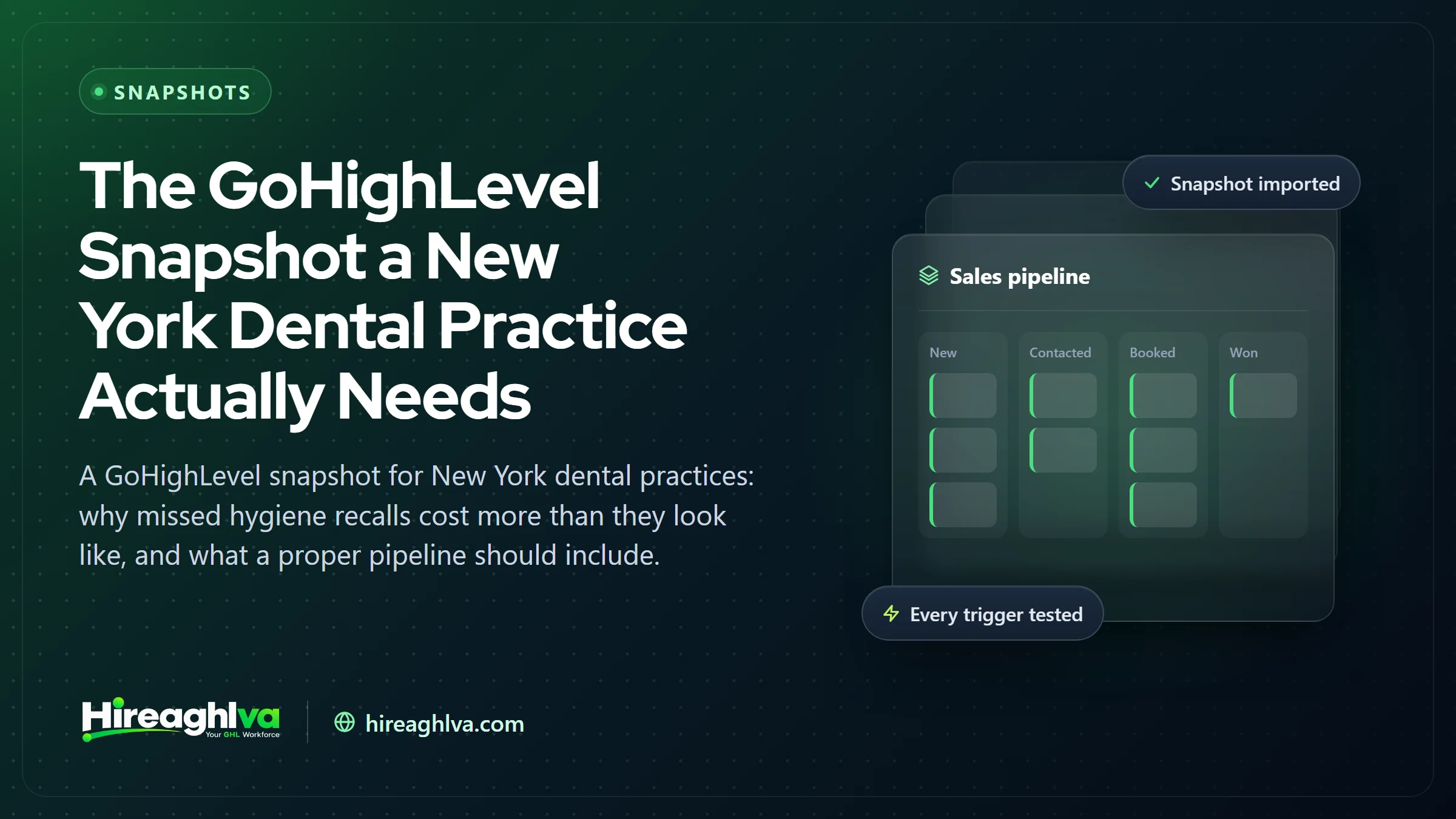
A GoHighLevel snapshot is a packaged, reusable copy of a fully configured sub-account — its pipelines, calendars, automation workflows, email and SMS templates, funnels, forms, and custom fields — that can be loaded into a new or existing account in minutes instead of being built from a blank canvas. Our full breakdown of how snapshots work covers the mechanics in more depth. For a dental practice, that means a new-patient pipeline, recall and hygiene-reminder workflows, and review-request automations arrive already structured around how a dental office actually operates, instead of generic “contact” and “opportunity” stages that mean nothing to a front-desk team.
What a snapshot does not bring with it matters just as much as what it does. It doesn’t carry over contacts, existing conversations, phone numbers, connected domains, user logins, or third-party integrations — those live at the sub-account level and have to be reconnected after import. A practice that imports a dental snapshot and expects a finished, live system with zero further setup is running into the single most common reason a “pre-built” snapshot ends up half-used six months later: it was never actually finished in the first place.
That distinction — structure versus a truly finished, working account — is the thread running through everything below: what a dental snapshot should include, how it actually gets installed, what separates a real niche build from a renamed template, and where the ROI comes from once it’s genuinely running.
Why this matters especially in New York
New York is described accurately as the country’s largest and most competitive local-search market, which changes the stakes on patient retention specifically:
- No shortage of other dental practices nearby. A patient who no-shows and isn’t followed up with has several other practices within walking distance to choose instead.
- A fast-paced population. Recall reminders that are easy to ignore or forget compete against a genuinely busy day-to-day schedule — automation needs to be persistent, not a single text.
- High patient acquisition cost. In a market this competitive, losing a patient you already acquired to a missed recall is a meaningfully worse outcome than in a smaller market with less competition to lose them to — the same dynamic covered for Chicago dental groups running multiple locations.
27%
Average patient no-show rate across healthcare
$150B
Cost of missed appointments to U.S. healthcare providers yearly
$200
Average revenue lost per missed appointment slot
| Item | Value |
|---|---|
| Shows up as scheduled | 73% |
| No-shows, gets no automatic follow-up | 27% |
Source: DialogHealth, 2026 patient no-show statistics; Curogram, 2026
These are broad healthcare-wide figures, not a New York-specific study — treat the exact percentages as directional. The consistent pattern: a missed recall without automatic follow-up is usually a lost patient, not just a missed cleaning.
Borough by borough: why a missed recall costs differently depending on where you practice
New York City isn’t one dental market — it’s five fairly different ones stitched together by the subway map, and a snapshot that treats “New York” as a single homogenous zip code misses most of what actually drives patient behavior here.
- Manhattan concentrates dental practices more densely than almost anywhere else in the country. A patient within a few blocks of your office there usually has a half-dozen other practices within an equally short walk or a single subway stop — exactly the dynamic that makes an un-automated recall list expensive, because the alternative is never far away.
- The outer boroughs carry fewer dental practices per capita than Manhattan, but that doesn’t mean less competition for the patients who are there — it usually means a wider effective service area and a patient base that’s more price- and schedule-sensitive.
- Insurance mix differs meaningfully by neighborhood. Practices built around a largely Medicaid- or HMO-insured patient base — common in a number of outer-borough neighborhoods — depend on patients actually using their covered annual visits; a missed recall there is lost revenue and, for some plans, a utilization number that matters to the practice’s standing with that carrier. Practices leaning more cash-pay, PPO, or cosmetic-heavy — more common in parts of Manhattan and brownstone Brooklyn — lose a different kind of value when a recall slips: the higher-margin hygiene visit that also tends to surface the next cosmetic or restorative case.
- Multi-location groups are a growing share of the New York metro dental market. Several of the larger dental organizations serving the region now operate many locations across boroughs and into the surrounding suburbs under one brand. That changes what a snapshot needs to do the moment a practice has more than one chair under its roof — pipelines and calendars need to work per-provider and per-location, not just per sub-account. If recall and scheduling genuinely need to span multiple locations with shared records, that’s usually the point where a custom GoHighLevel build — the same shift we cover for Chicago dental groups — starts to make more sense than stretching a single-location snapshot across several offices.
- Commute patterns change how fast a missed recall becomes a lost patient. Someone in a car-dependent suburb who no-shows might still default back to the same practice out of convenience. A patient in NYC who misses a recall and goes a few weeks without hearing from your office has almost certainly passed two or three other dental offices on their normal commute in that time — which is the real reason recall automation isn’t optional in a market built this way.
- Dental school and teaching clinics add another layer of competition specific to this city. New York is home to multiple dental schools and affiliated teaching clinics offering reduced-cost care, which gives price-sensitive patients — including some who might otherwise be a private practice’s patients — a genuine lower-cost alternative that most other metros simply don’t have at this scale. A practice competing in that environment benefits even more from automation that keeps existing patients engaged, since replacing a lost one costs more here than acquiring the next one.
What should a dental snapshot actually include?
What a dental GoHighLevel snapshot should automate
| Piece | What it does | Why it matters |
|---|---|---|
| New-patient intake pipeline | Captures an inquiry and moves it toward a booked first visit | A slow response loses the patient to a competitor practice |
| Recall & hygiene reminders | Reaches out automatically when a patient is due for a visit | Catches patients before they drift past their recall window |
| Post-visit review requests | Automatic Google/Facebook review ask after every visit | Builds the reputation new patients check before booking |
| Rebooking follow-up | Triggers automatically when a patient no-shows | Recovers the visit before the patient forgets to reschedule |
Inside the snapshot: pipelines, automations, and funnels explained
The table above is the summary. Here’s what’s actually sitting inside a well-built dental snapshot once you open the account.
The pipeline. A dental new-patient pipeline is typically structured in stages that mirror the real patient journey, not a generic sales funnel: New Inquiry → Contacted → Appointment Scheduled → Appointment Confirmed → Seen (Active Patient) → Recall Due → Reactivation Needed. Every contact sits in exactly one stage at a time, and moving between stages is what triggers the automations below — a contact doesn’t get a recall reminder because a human remembered to send one, it gets sent because the contact moved into (or has sat in) the “Seen” stage for roughly the length of a standard recall interval.
The funnels and forms. A new-patient snapshot includes a booking-focused landing page and an intake form built to capture the handful of fields that actually matter for dental intake — name, phone, reason for visit, insurance carrier, and preferred location or provider if there’s more than one — wired to post directly into the New Inquiry stage the moment it’s submitted, not into an inbox someone checks twice a day.
The automations, in plain terms. Each one is built from a trigger, usually a condition or branch, a wait step, and an action:
- Speed-to-lead — fires the instant a form submits or a call is missed; sends an immediate text and routes a task to staff; typically re-sends if there’s no reply within a set window.
- Recall and hygiene reminders — fires when a contact crosses the recall-interval threshold since their last visit; sends a first reminder by text and email, waits a few days, checks a condition (did they book?), and if not, escalates to a second message or a phone-call task for staff. That branching is the part a plain “send one reminder” setup skips entirely.
- No-show rebooking — fires the moment an appointment status changes to no-show; sends an outreach sequence distinct from the original reminder, because a patient who already missed one message needs a different nudge than one who hasn’t been reached yet.
- Post-visit review request — fires when an appointment is marked complete; waits a short interval so the request lands after the visit rather than during checkout, then sends a direct link to Google (and Facebook, if used).
- Database reactivation — fires on a time-based filter for contacts who’ve gone significantly past their recall window with no activity, and routes them into a longer win-back sequence distinct from the standard recall flow. Our guide to GoHighLevel database reactivation campaigns covers that workflow logic in more depth, since it behaves differently from a normal recall reminder.
None of this is exotic — it’s standard GoHighLevel workflow logic. What makes it work for a dental practice specifically is that the stages, intervals, and branching are built around an actual recall cadence and a real patient journey, instead of a generic “lead nurture” sequence with a dentist’s logo pasted on top.
How a dental snapshot actually gets installed and customized, step by step
Importing a snapshot file takes about ninety seconds. Making it function correctly for one specific practice is the part that actually takes 48–72 hours, and skipping steps here is where most of the “this didn’t work” complaints about snapshots come from. In rough order:
- Audit the existing sub-account first. If anything already exists in the account — an old pipeline, a half-built calendar, a previous automation — importing on top of it can silently overwrite assets with matching names. A backup snapshot of the current state is taken before anything else happens.
- Load the snapshot. Inside the sub-account: Settings → Account Snapshot → Load Snapshot, select the correct one, and confirm. This is the only step that’s genuinely a few clicks.
- Map every custom value. Practice name, address, phone number, hours, provider names, insurance carriers accepted, and booking links all live as custom values the snapshot ships with placeholders for. This is the single most common place a snapshot gets left half-done — placeholder text going out in a live text message to a real patient is the fastest way to lose trust in the whole system.
- Connect (or port) a phone number and confirm A2P 10DLC registration. A snapshot doesn’t carry a phone number with it, and in the US, SMS automations won’t reliably deliver until the sub-account’s A2P 10DLC brand and campaign registration is approved — our guide to A2P 10DLC covers that process if it hasn’t been done yet. Skipping this is why some practices report reminders that “worked in testing” but never actually reach a patient’s phone once real traffic starts.
- Configure calendars for real providers and real hours. Multiple dentists or hygienists, actual appointment durations per service type, buffer time between patients, and round-robin or fixed-provider booking rules — set to how the practice genuinely books, not the demo defaults.
- Run the branding pass. Logo, color palette, and every piece of SMS/email copy rewritten for the actual practice, not a find-and-replace on the business name — dental copy written for a generic “test” account reads noticeably different from copy written for a specific office with its own tone.
- Reconnect integrations the snapshot can’t carry. Practice-management software exports, payment processors, review-platform connections, and any existing third-party tools get wired back up individually, since none of that transfers with the snapshot file itself.
- Test-fire every automation manually. Each workflow — speed-to-lead, recall, no-show rebooking, review request, reactivation — gets triggered with a test contact and watched end to end before a real patient ever touches it. This is the step a free or marketplace snapshot almost never includes, and it’s where broken trigger references and dead pipeline stages actually get caught.
- Soft-launch with staff before full go-live. Front-desk staff run a handful of real bookings through the system while watching for anything that doesn’t match how they actually work day to day, before the practice stops relying on its old manual process entirely.
- Monitor the first one to two weeks closely. Reminder delivery, no-show recovery, and review-request response are checked against expectations, with small adjustments to timing or copy based on what real patients actually do, not what the build assumed they’d do.
Any one of these steps skipped is usually recoverable. Several skipped at once is how a practice ends up with a system that looks finished in a screenshot and doesn’t actually do anything useful by week three.
Build it yourself, grab a free one, or get it done right
Time to a live pipeline
- Build from scratch
- Weeks of build time
- Free or marketplace snapshot
- Minutes to import, days to fix
- Hireaghlva dental snapshot
- 48–72h, installed and tested
Recall reminders included
- Build from scratch
- If nothing gets missed
- Free or marketplace snapshot
- Rarely
- Hireaghlva dental snapshot
Automatic rebooking for no-shows
- Build from scratch
- Only if you build it
- Free or marketplace snapshot
- Usually generic
- Hireaghlva dental snapshot
Every automation test-fired before use
- Build from scratch
- Rarely
- Free or marketplace snapshot
- Hireaghlva dental snapshot
Branded to your practice
- Build from scratch
- Free or marketplace snapshot
- You do it yourself
- Hireaghlva dental snapshot
| Build from scratch | Free or marketplace snapshot | Hireaghlva dental snapshot | |
|---|---|---|---|
| Time to a live pipeline | Weeks of build time | Minutes to import, days to fix | 48–72h, installed and tested |
| Recall reminders included | If nothing gets missed | Rarely | |
| Automatic rebooking for no-shows | Only if you build it | Usually generic | |
| Every automation test-fired before use | Rarely | ||
| Branded to your practice | You do it yourself |
Buyer’s guide: what to ask before you buy a “pre-built” dental snapshot
“Pre-built” and “dental-specific” get used loosely by anyone selling a snapshot. Before paying for one — from us or anyone else — these are the questions worth asking, and the honest answers tell you fast whether it’s a real niche build or a generic template with a tooth icon added to the thumbnail.
Questions to ask a vendor:
- What’s actually different about this from your general “local business” snapshot? A real dental build has recall-interval logic, hygiene-visit-specific reminder cadences, and insurance-field capture baked in — not just a renamed pipeline stage.
- Has every automation in this been test-fired, or just imported and screenshotted? Ask specifically, because the two produce an identically-looking account until something actually triggers.
- What happens to anything already in our account when this is loaded? A vendor who doesn’t ask this before importing into a live account is one who’s never actually broken a client’s account doing it — which usually means they will, eventually.
- What does the branding and customization pass actually include? A logo-and-color swap is not the same service as rewriting every SMS and email so it doesn’t read like placeholder copy with the practice’s name dropped in.
- Who owns the data and structure afterward, and can we move providers later? A snapshot sold as a locked, unexportable “membership” rather than something that becomes genuinely yours is worth asking about directly.
Red flags that a “pre-built” snapshot is really just a template:
- The demo video shows the import, not a single automation actually firing end to end.
- Pricing is identical regardless of niche, with the niche name simply swapped on the sales page.
- There’s no mention of custom values, A2P registration, or calendar configuration anywhere in what’s included — those are the parts that take real time, and skipping them is how a vendor keeps turnaround and price low.
- Support after delivery is limited to “here’s a help doc,” with no actual testing or QA pass included.
- The recall and reminder timing is generic (a single “6 months” reminder) rather than built around how recall intervals actually vary by visit type — cleanings, periodontal maintenance, ortho check-ins, and post-op follow-ups don’t all run on the same clock.
None of this means a cheap or free snapshot is automatically useless — some are a perfectly fine starting point. It means budgeting real time (yours, a VA’s, or ours) for the mapping, connection, and test-firing steps covered above regardless of where the base snapshot came from, because that work is what separates a snapshot that runs itself from one that just sits there looking configured. Our guide to the GoHighLevel snapshot marketplace goes deeper on evaluating a specific marketplace listing before you buy.
Common mistakes practices make when they launch a snapshot
Most complaints about a dental snapshot “not working” trace back to one of a handful of avoidable mistakes, almost all of them about skipping the gap between importing a structure and actually running a practice through it.
- Launching without mapping the real patient flow first. A snapshot assumes a certain sequence — inquiry, booking, confirmation, visit, recall. If a practice’s actual flow is different (patients mostly book by phone, not form; a hygienist handles recall scheduling chairside before checkout), the automation fires against assumptions nobody checked, and staff quietly route around it instead of using it.
- Treating every patient the same for recall purposes. A standard six-month cleaning recall, a three-to-four-month periodontal maintenance recall, and a post-op follow-up are different clocks. A snapshot left on one generic recall interval either nags periodontal patients too often or lets healthy patients drift past their actual next-visit timing.
- Never connecting the phone number or finishing A2P registration, then being confused when reminder texts show as “sent” in the dashboard but never actually land in a patient’s messages — a compliance step, not a bug, but one that’s easy to miss if nobody flagged it during setup.
- Skipping the test-fire step, so the first real test of whether recall automation works is a real patient who should have gotten a reminder and didn’t — the worst possible way to discover a broken trigger.
- Leaving placeholder copy in “just for now” and forgetting about it, so a patient receives a text referencing the wrong business name or a service the practice doesn’t offer — which does real damage to trust in a single message.
- Assuming a multi-provider or multi-location practice can run on a single-location structure. Pipelines, calendars, and reporting that don’t distinguish between providers or locations produce reminder and recall logic that’s technically running but practically meaningless the moment there’s more than one chair to track.
- Never revisiting the build after launch. A snapshot isn’t a one-time install — recall intervals, insurance carriers accepted, and provider schedules change, and an account nobody updates slowly drifts out of sync with how the practice actually runs six months later.
- Letting one person hold all the institutional knowledge. If only the office manager who originally set it up understands which workflow does what, the system quietly breaks the week they’re out sick or leave the practice — which is why a short naming and documentation reference, not just a working account, should be part of any install.
Each of these is a quick fix caught early and a real cost caught late, which is exactly why the test-firing and QA step in the install process isn’t optional busywork.
Cost and ROI: what a dental snapshot is actually worth
The honest way to think about a dental snapshot’s ROI isn’t “what did it cost” against “what would a developer have charged to build this from scratch” — it’s “what does one caught no-show or one recovered recall patient actually return,” because that’s the number the automation is working against every single day it runs.
Using the no-show math already covered above — a practice losing roughly 27% of booked visits to no-shows, at an average of about $200 in lost revenue per missed slot — a practice seeing even 20 patients a day is losing on the order of $1,000-plus a day in unrecovered slots before any rebooking automation ever runs. Recovering even a modest share of that, every week, compounds fast against a one-time or modest ongoing cost for the snapshot itself.
Rough cost and payback comparison for a dental GoHighLevel snapshot
| Approach | Typical upfront cost | Typical time to live | What usually pays it back |
|---|---|---|---|
| Build from scratch | Developer/agency rate × 1–3 weeks of work | Weeks | Only if nothing important was missed in the build |
| Free or marketplace snapshot | Low or $0 upfront | Minutes to import, days to fix | Rarely on its own — usually needs the fix-up work below first |
| Niche snapshot, installed & tested | Modest one-time fee | 48–72 hours | Typically within the first few recovered no-shows or recall rebookings |
That last column is the part worth sitting with: a recovered recall patient isn’t just one visit, it’s a patient who stays on the schedule for years and refers others when asked for a review — the actual compounding return a snapshot is built to protect, not a one-time automation fee. For more on how GoHighLevel’s ROI holds up in general, beyond just dentists, see our breakdown of whether GoHighLevel is worth it.
It’s also worth budgeting for the ongoing side of the cost, not just the upfront install. A snapshot isn’t a purchase you make once and never touch — GoHighLevel’s own subscription cost, A2P messaging fees, and any time spent updating recall intervals or provider schedules as the practice changes are part of the real, ongoing cost of running the system, even once the one-time setup work is done. Practices that budget for that upkeep from the start get a more accurate read on payback than ones comparing only the install fee against a developer quote.
What you actually get
- Recall patients stop quietly disappearing. A due-for-recall patient gets an automatic reminder instead of falling out of your schedule entirely.
- No-shows get a real chance at rebooking, instead of an empty slot nobody follows up on.
- New patient inquiries get answered fast enough to actually book, in a market where the next practice is always close by.
- Your reputation builds itself. Review requests go out automatically after every visit — the same missed-call text-back logic we build for other appointment-driven businesses handles the phone side too.
- The practice stops depending on one person’s memory. Recall, rebooking, and review requests run whether the front-desk lead is in the office that day or not — which matters in a market where staff turnover and sick days are a fact of running any small practice.
Bringing it together
A New York dental practice doesn’t need more new-patient leads if a quarter of the ones already on the books never show up for their recall visit — it needs a system that catches that automatically. That’s true city-wide, but it plays out differently depending on which borough a practice is actually in: a Manhattan practice is usually fighting density and cash-pay competition, while an outer-borough practice is more often fighting patient volume against a tighter insurance-driven margin. Either way, the fix is the same structure, installed and genuinely tested rather than just imported. Pair a properly built snapshot with a fast, AI-search-ready dental website like the one we cover for Houston practices, and the two work together so the patients you’ve already earned actually stay on schedule.
Written by the Hireaghlva GoHighLevel team
We build and run GoHighLevel accounts, automations, dashboards, and websites for agencies and local businesses across the US and Canada. This guide reflects that hands-on work, with sources cited inline where we reference outside data.