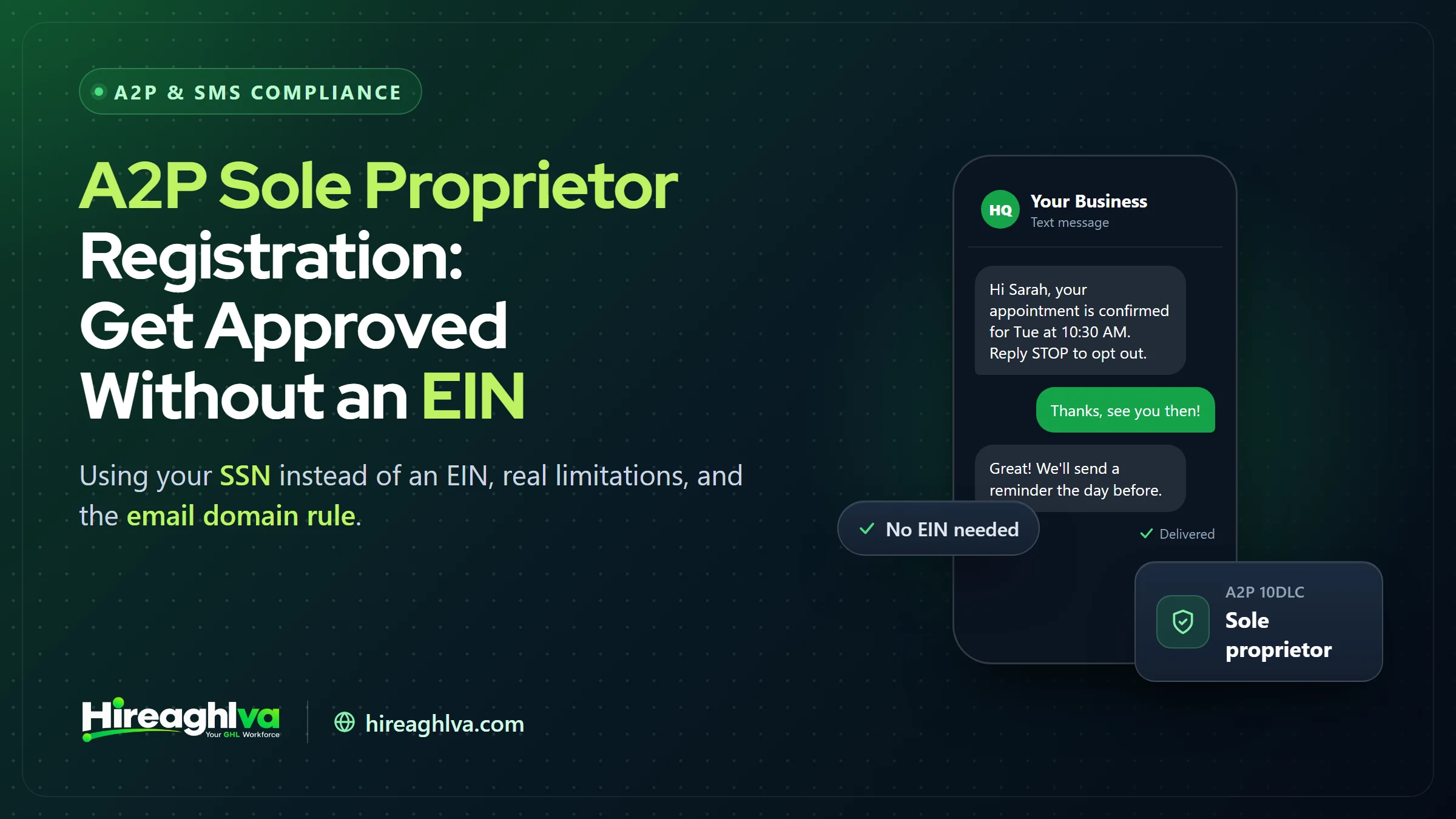
Yes — you can register for A2P 10DLC without an EIN by choosing the Sole Proprietor brand type, which accepts your Social Security Number instead. Not having a formal business entity or an EIN shouldn’t mean you can’t send compliant, reliable SMS from GoHighLevel — and it doesn’t. A2P 10DLC’s Sole Proprietor brand type was built specifically for individuals and small operators working under their own name, and it’s a fully legitimate, carrier-recognized registration path rather than some workaround or lesser-tier option. This guide covers exactly who qualifies, what you’ll need instead of an EIN, the real limitations that come with this path, and the specific rules — like the public email domain requirement — that trip up more first-time registrants than anything else in this category.
If you already have an EIN, this guide isn’t for you — head to our main A2P 10DLC guide and step-by-step GoHighLevel registration walkthrough instead, since Standard brand registration will generally serve you better long-term. This guide is specifically for solo operators, freelancers, and small businesses without a formal entity who need SMS working now.
~$4.50
One-time Sole Proprietor brand registration fee
1
Campaign and phone number allowed per Sole Proprietor brand
SSN
Accepted in place of an EIN for identity verification
Who qualifies for A2P Sole Proprietor registration?
A2P Sole Proprietor registration is for individuals and small operations in the US and Canada operating under their own name without an EIN. That includes freelancers, solo contractors, consultants, and small operators who haven’t formed (and may not need) an LLC, corporation, or other formal business entity. If you’re a single-person operation sending appointment reminders, service updates, or customer follow-ups and you don’t have an EIN, this is very likely the registration path you’re looking for (Signal House, Registering a Sole Proprietor for A2P 10DLC).
You don’t need to be a legally recognized “sole proprietorship” in a formal tax sense to use this path — it’s built for anyone sending business SMS without an EIN, which in practice covers most solo operators regardless of exactly how they’ve structured (or haven’t structured) their business for tax purposes.
What do you need to register A2P 10DLC without an EIN?
To register A2P 10DLC without an EIN, your Social Security Number takes the place of an EIN. Beyond that, you’ll need to provide:
- Your legal first and last name
- A valid business name (this can be your own name, or a DBA/trade name you operate under)
- A valid email address
- A phone number
- A physical address
- Identity verification via a One-Time Password (OTP) sent to confirm you are who you say you are
If you have an EIN, use it — even if you’re a very small operation. The Sole Proprietor path exists as an option for people without an EIN, not as a default recommendation for anyone who happens to qualify. Standard brand registration (with an EIN) gets a higher default trust score and more headroom to grow into, so it’s worth registering an EIN through the IRS first if you’re planning to scale sending volume in the near future (HighLevel Support, A2P Sole Proprietor Brand Registration).
The public email domain rule that catches people off guard
This is, by a wide margin, the single most common Sole Proprietor rejection cause we see, and it’s rarely explained clearly anywhere in the registration flow itself: private, custom-domain business email addresses are typically not eligible for Sole Proprietor brand registration.
Example
- Accepted
- yourname@gmail.com
- Not accepted for this brand type
- yourname@yourbusiness.com
Provider type
- Accepted
- Free, widely recognized consumer email
- Not accepted for this brand type
- Custom domain (even via Google Workspace/Gsuite)
Why
- Accepted
- Carriers can readily verify these providers for this brand type
- Not accepted for this brand type
- Private domains can't be verified the same way at this registration tier
| Accepted | Not accepted for this brand type | |
|---|---|---|
| Example | yourname@gmail.com | yourname@yourbusiness.com |
| Provider type | Free, widely recognized consumer email | Custom domain (even via Google Workspace/Gsuite) |
| Why | Carriers can readily verify these providers for this brand type | Private domains can't be verified the same way at this registration tier |
In plain terms: a personal Gmail, Yahoo, or Hotmail address works. A Google Workspace address on your own business domain — even though it looks and functions like Gmail — does not, because it’s technically a private domain rather than the free consumer Gmail service. This catches a lot of otherwise well-prepared registrants, since using your own business domain email feels like the more professional, “correct” choice right up until it triggers a rejection.
What you give up with Sole Proprietor registration
The trade-off for the lower cost and no-EIN requirement is real, and worth understanding clearly before you register rather than discovering it after you’ve built workflows around a single number:
Campaigns allowed
- Sole Proprietor
- 1
- Standard Brand
- Multiple
Phone numbers per campaign
- Sole Proprietor
- 1
- Standard Brand
- Multiple
Mobile number reuse limit
- Sole Proprietor
- Max 3 Sole Proprietor brands per mobile number
- Standard Brand
- Not applicable
Default throughput
- Sole Proprietor
- Low-volume (varies by carrier)
- Standard Brand
- Higher, trust-score based
One-time brand fee
- Sole Proprietor
- ~$4.50
- Standard Brand
- Meaningfully higher (check current Trust Center pricing)
| Sole Proprietor | Standard Brand | |
|---|---|---|
| Campaigns allowed | 1 | Multiple |
| Phone numbers per campaign | 1 | Multiple |
| Mobile number reuse limit | Max 3 Sole Proprietor brands per mobile number | Not applicable |
| Default throughput | Low-volume (varies by carrier) | Higher, trust-score based |
| One-time brand fee | ~$4.50 | Meaningfully higher (check current Trust Center pricing) |
The single-campaign, single-number limitation is the one that most commonly forces an upgrade later. If your business plan involves running separate campaigns for different use cases (say, appointment reminders on one number and marketing promotions on another), Sole Proprietor won’t accommodate that structure — you’d need a Standard brand instead (GHL Scale Up, A2P Brand Registration: Standard vs Sole Proprietor).
Worth knowing if you registered a while back: GoHighLevel’s Chat Widget (Pre-Built) Campaign path — the faster, locked-disclosure registration option covered in our main A2P 10DLC guide — now supports Sole Proprietor accounts. The flow detects a Sole Proprietor account automatically, pre-selects the Sole Proprietor use case, and lets you choose Marketing/Promotional or Transactional messaging (HighLevel changelog), with a Mixed option added in April 2026. That path was previously Standard-brand-only, so if an older source (including an earlier version of this guide) told you it’s off-limits as a Sole Proprietor, that restriction no longer holds. The trade-offs that still apply: the disclosure language is locked, and the chat widget has to be your only SMS consent point, so remove SMS consent checkboxes from every other form on your site (HighLevel Support, Pre-Built A2P Campaign Registration with Chat Widget).
Step-by-step: registering as a Sole Proprietor in GoHighLevel
- Go to Settings → Phone Numbers → Trust Center in your sub-account.
- Select Sole Proprietor as your brand type when prompted (rather than Standard).
- Enter your legal first and last name, business name, address, and a public-domain email address (Gmail, Yahoo, Hotmail, or similar — not a private business domain).
- Complete the One-Time Password identity verification step.
- Submit for review.
- Once approved, proceed to Campaign registration exactly as you would under a Standard brand — selecting your use case, writing sample messages, and describing your opt-in method.
- Link the approved campaign to your single phone number.
This follows the same overall pattern as Standard brand registration — our full GoHighLevel step-by-step guide covers the Campaign registration screen in more detail, since that part of the flow doesn’t differ between brand types.
Common Sole Proprietor rejection reasons
Beyond the email domain issue covered above, a few other patterns show up specifically for this brand type:
Name mismatch between the OTP verification and the brand submission. Your legal name needs to match exactly across both the identity verification step and what you entered as the brand’s registrant — a nickname or shortened version used in one place and your full legal name in the other can trigger a mismatch flag.
Business name that reads as a formal entity you don’t actually have. If your “business name” field includes “LLC,” “Inc.,” or similar formal entity suffixes, but you’re registering as Sole Proprietor (meaning you don’t have that formal entity), the mismatch between your declared business name and your brand type can cause a rejection — Sole Proprietor registrations should use your personal or DBA trade name, not a formal entity name you haven’t actually incorporated.
Address that doesn’t match your identity verification. Since Sole Proprietor uses personal identity verification (via SSN and OTP) rather than business entity records, your submitted address needs to plausibly match your personal identity records, not a separate business address that has no connection to your personal filing.
Common A2P Sole Proprietor rejection causes and how to avoid them
| Rejection cause | What triggers it | How to avoid it |
|---|---|---|
| Private email domain | A custom-domain address, even through Google Workspace | Use a personal Gmail, Yahoo, or Hotmail address |
| Name mismatch | Nickname in one place, full legal name in another | Use your exact legal name in both OTP verification and the brand submission |
| Formal-entity business name | "LLC" or "Inc." in the name without that entity | Use your personal name or DBA trade name |
| Address mismatch | A business address unconnected to your personal identity records | Use an address that matches your personal identity records |
For rejection causes that apply to every brand type, not just Sole Proprietor, see our full guide to GoHighLevel A2P registration rejections and their exact fixes.
When should you upgrade from Sole Proprietor to a Standard brand?
Upgrade from Sole Proprietor to a Standard brand when you need more than one campaign, consistently hit throughput limits, or are forming an LLC or corporation anyway. Here’s what each signal looks like in practice:
You need more than one campaign. If you’re running distinct use cases — customer service texts on one number, marketing promotions on another — Sole Proprietor’s one-campaign limit forces you into workarounds that a Standard brand avoids entirely.
You’re consistently hitting throughput limits. Sole Proprietor’s low-volume default throughput is fine for a solo operator’s typical message volume, but a growing business sending to a larger contact list regularly will start to feel that ceiling.
You’re forming an LLC or corporation anyway. If you’re incorporating for other business reasons (liability protection, tax treatment, or simply growing beyond a one-person operation), getting an EIN as part of that process and upgrading your A2P registration to match is a natural, low-friction next step rather than a separate project.
Upgrading isn’t a simple “edit” of your existing Sole Proprietor brand — it’s a new Standard brand registration and a new campaign underneath it. Budget the same review timeline you experienced the first time around, and plan the transition during a period when you’re not fully dependent on uninterrupted SMS sending, if possible.
A worked example: a solo contractor registering for the first time
Concrete numbers help here more than abstractions. Take a handyman operating under his own name — no LLC, no EIN, sending appointment confirmations and follow-up texts to maybe 40–60 customers a month through GoHighLevel automations, with bookings coming in from a simple home contractor website.
He selects Sole Proprietor at the brand type screen, enters his legal name, his personal Gmail address (not the “contact@hisbusiness.com” address he’d been using for quotes — that would trigger the private-domain rejection), his home address, and his SSN in place of an EIN. He completes the OTP verification on his phone, and the brand is approved within a few minutes.
For the campaign, he registers a single campaign (under the Sole Proprietor use case) whose description and sample messages cover both appointment confirmations and post-job follow-up/review requests — since Sole Proprietor only allows one campaign, combining related-but-distinct message types under one accurately described campaign is the right approach rather than trying to register two narrow campaigns he isn’t structurally allowed to have. Total cost: around $4.50 for the brand, roughly $15 for campaign vetting, plus a small monthly campaign fee — under $25 all-in to get compliant SMS running, with the whole process, brand through campaign approval, typically wrapping up within about a week.
| Item | Value |
|---|---|
| Sole Proprietor brand registration | 4.5 |
| Campaign vetting | 15 |
If you’d rather not handle the registration and workflow setup yourself, this is exactly the kind of task a part-time GoHighLevel VA can take off your plate.
Registering from Canada
Sole Proprietor registration explicitly covers Canadian individuals and small operations as well, not just US-based ones — the core mechanics are the same (personal identity verification in place of a business Tax ID), though the specific identity document accepted in place of an EIN differs by country given Canada doesn’t use the US Social Security Number system. If you’re registering from Canada, GoHighLevel’s Trust Center flow will prompt for the appropriate Canadian equivalent during the identity verification step rather than an SSN specifically — the underlying registration logic and limitations (one campaign, one number, lower throughput) apply identically regardless of which country you’re registering from.
Testing your Sole Proprietor setup before relying on it
Once your single campaign is approved and linked to your number, don’t assume everything works purely because Trust Center shows green statuses across the board — send a real test message to a personal phone and confirm it arrives. This matters slightly more for Sole Proprietor registrations specifically, since the lower default throughput means a batch of messages sent all at once (rather than spaced out) is more likely to hit rate limiting than it would under a higher-throughput Standard brand. If you’re planning to send appointment reminders to a list of existing customers as your first real send, stagger it rather than firing all of them simultaneously, and confirm delivery on a small batch before trusting the full list to go out cleanly. If messages still aren’t arriving, work through our GoHighLevel SMS carrier filtering troubleshooting guide.
Sole Proprietor and toll-free verification together
It’s worth knowing that Sole Proprietor A2P 10DLC registration and toll-free verification aren’t mutually exclusive — some solo operators use a Sole Proprietor-registered local number for the bulk of their SMS while also verifying a toll-free number for a specific purpose (a dedicated inbound support line, for instance). If your Sole Proprietor brand’s one-campaign, one-number limit is genuinely constraining and getting an EIN isn’t practical in the near term, adding a toll-free number as a second channel — rather than trying to force everything through the single Sole Proprietor registration — is a reasonable interim solution. Our toll-free vs. A2P 10DLC comparison covers the trade-offs of that path in more detail.
Cost comparison: Sole Proprietor vs. Standard over time
~$4.50 + fees
Sole Proprietor: lower entry cost, capped growth headroom
Higher + fees
Standard: higher entry cost, no structural growth ceiling
For a genuinely solo operator with no near-term plans to scale sending volume or add campaigns, the ongoing monthly campaign fee and per-message carrier surcharges are identical between brand types — the entry cost difference (a few dollars vs. a meaningfully higher one-time brand fee — these are pass-through carrier/registry charges, so check current Trust Center pricing) is the only real ongoing financial distinction. That makes the decision less about long-term cost and more about whether the structural limitations (one campaign, one number, lower throughput) fit how you actually plan to use SMS.
Put another way: that one-time brand-fee difference is genuinely trivial against almost any business’s monthly revenue, which means the real decision driver should be the structural limitations, not the price. A solo operator who’s confident they’ll stay a one-person, one-number operation for the foreseeable future loses little by choosing Sole Proprietor. One who expects to add team members, additional numbers, or distinct campaign types within the next year or two is often better served getting an EIN (a free, same-day process directly through the IRS website) and registering Standard from the outset, rather than registering Sole Proprietor now and re-doing the process later.
Questions that come up mid-registration
“I have an ITIN instead of an SSN — does that work?” Generally, no — Sole Proprietor registration is built around SSN-based identity verification. If you have an ITIN rather than an SSN and don’t yet have an EIN, obtaining an EIN (which is available to sole proprietors and doesn’t require forming an LLC) and registering as Standard may be the more accessible path.
“Can I use a PO Box as my address?” This varies by what identity verification ultimately requires and is worth confirming directly if it applies to you, but in general, a verifiable physical address tied to your identity records is preferred over a PO Box for this registration type, since the address is part of what’s being cross-checked during verification.
“My business name is different from my personal name — is that a problem?” No, as long as it’s registered as a DBA/trade name rather than implying a formal entity you don’t have (see the “LLC/Inc.” naming issue covered above). Operating under “Mike’s Handyman Services” while registering personally as Mike Johnson is exactly the kind of setup Sole Proprietor registration is designed to accommodate.
“Does my Sole Proprietor registration expire or need annual renewal?” No — once approved, the Brand and Campaign remain active as long as you continue paying the recurring monthly campaign fee and don’t violate carrier guidelines badly enough to trigger a suspension. There’s no separate annual re-verification step required simply by the passage of time.
Bringing it together
Not having an EIN doesn’t have to keep you from sending compliant, reliably-delivered SMS through GoHighLevel — Sole Proprietor registration is a legitimate, fully supported path built exactly for this situation. Get the public-email-domain requirement right from the start (use a personal Gmail/Yahoo/Hotmail address, not your business’s private domain), keep your legal name consistent across the identity verification and brand submission, and go in understanding the one-campaign, one-number ceiling so it doesn’t surprise you later. If your business outgrows those limits, upgrading to a Standard brand once you have an EIN is a well-worn, straightforward path — not a sign you registered the wrong way the first time.
The businesses that get the most value out of this path are the ones that go in with realistic expectations: one campaign, one number, and lower throughput are real constraints, but for a genuinely solo operation sending appointment reminders and follow-ups to a modest customer list, they’re rarely the bottleneck. Get the email domain and identity details right on the first submission, and this is one of the fastest, cheapest ways to get compliant SMS running in GoHighLevel.
Written by the Hireaghlva GoHighLevel team
We build and run GoHighLevel accounts, automations, dashboards, and websites for agencies and local businesses across the US and Canada. This guide reflects that hands-on work, with sources cited inline where we reference outside data. Last reviewed September 13, 2026.