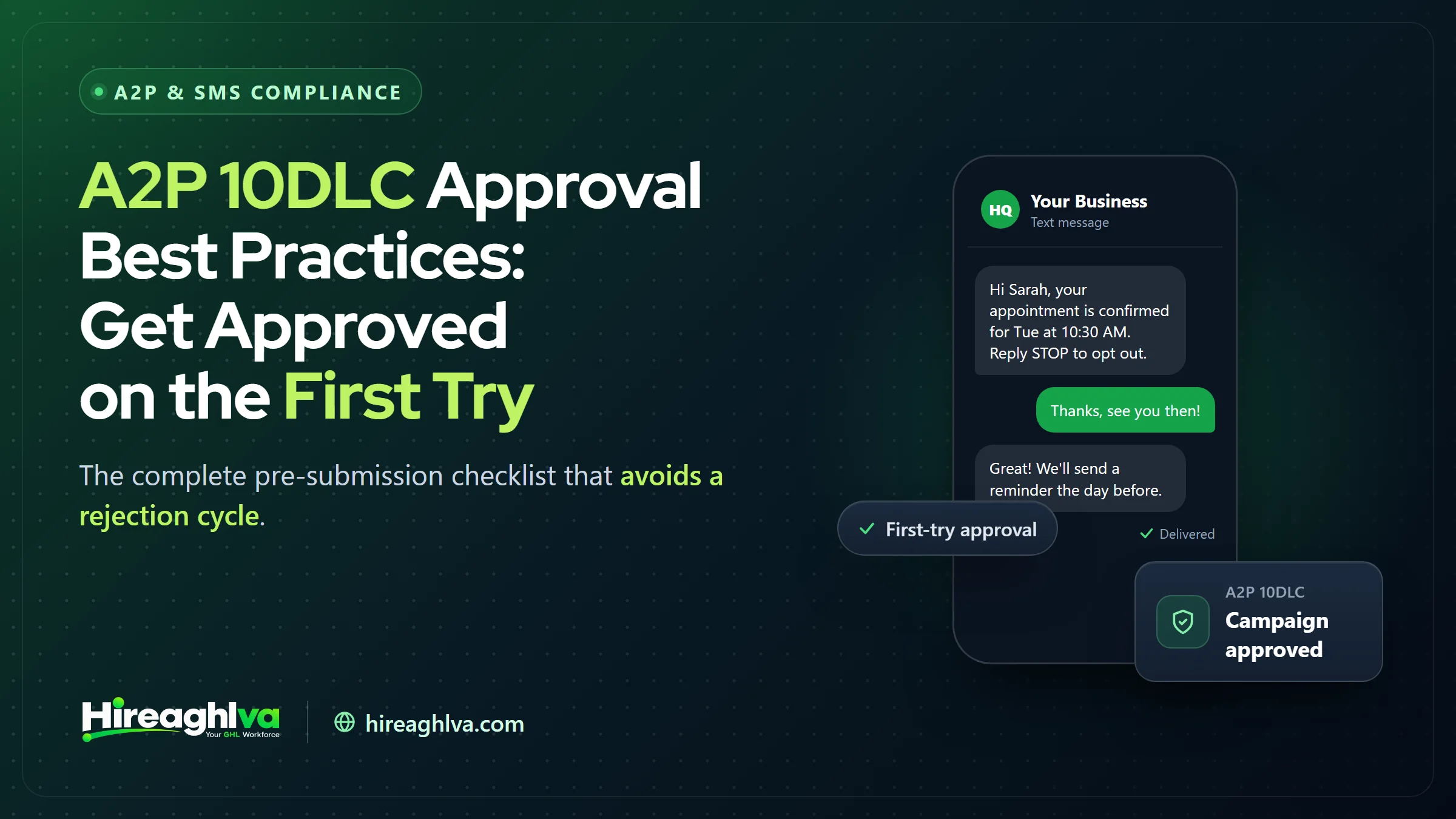
Getting A2P 10DLC approved on the first try comes down to three things: business details that exactly match official records, realistic sample messages, and a specifically described opt-in method. Every A2P 10DLC rejection is avoidable in hindsight — the reason is almost always a specific, identifiable gap between what was submitted and what carriers expected to see. This guide flips that around: a complete pre-submission checklist covering exactly what separates a clean first-time approval from a rejection cycle, organized in the order you should actually work through it.
Most guides on this topic describe what went wrong after the fact — see our breakdown of every GoHighLevel A2P rejection reason and its exact fix for that angle. This one is deliberately structured the other way — as a set of concrete actions to take before you ever open the registration form, so the common failure modes covered elsewhere in this series simply don’t apply to your submission in the first place.
Exact match
Legal name, EIN, and address matching official records is the #1 lever
Specific > generic
Realistic sample messages consistently outperform placeholder text
10 min
Realistic time to properly verify every field before submitting
Before you touch the registration form
The best practices that matter most happen before you open Trust Center at all — gathering and verifying information, not filling out fields quickly.
Pull your actual EIN documentation. Don’t type your business name and EIN from memory. Open your actual IRS EIN confirmation letter or a recent tax filing and copy the legal name and address exactly as they appear — not your DBA, not a shortened version, not how you’d casually write it on a business card.
Confirm your website is live and complete. A “coming soon” page, a broken link, or a site missing basic business information (what you do, how to contact you) is flagged in Brand review. Have your site in a genuinely presentable, complete state before registering, not mid-redesign — if it isn’t there yet, get a complete, compliant business website live first.
Have your privacy policy specifically address SMS. A generic privacy policy that never mentions text messaging, opt-in, or SMS data handling is weaker evidence of compliant consent practices than one with even a brief, specific SMS section. If yours doesn’t have this, add a short section before registering rather than after a rejection.
What are the best practices for A2P 10DLC brand registration?
The best practice for A2P 10DLC brand registration is to copy your legal name, EIN, and address exactly from official IRS records, match your actual entity type, and register with a live, complete website.
Legal name
- Do this
- Copy exactly from EIN documentation
- Don't do this
- Type from memory or use a DBA
Address
- Do this
- Current, exact official address
- Don't do this
- An old or slightly abbreviated address
Brand type
- Do this
- Match your actual entity status
- Don't do this
- Guess or pick whichever seems easier
Website
- Do this
- Live, complete, publicly accessible
- Don't do this
- Under construction or broken links
| Do this | Don't do this | |
|---|---|---|
| Legal name | Copy exactly from EIN documentation | Type from memory or use a DBA |
| Address | Current, exact official address | An old or slightly abbreviated address |
| Brand type | Match your actual entity status | Guess or pick whichever seems easier |
| Website | Live, complete, publicly accessible | Under construction or broken links |
If your business has recently changed its legal name, moved, or restructured (an LLC conversion, for example), make sure your EIN records with the IRS reflect the current details before registering — carriers cross-check against official records, not against what’s true today if your paperwork hasn’t caught up yet.
Campaign registration best practices
This is where the majority of rejections happen, and where careful preparation pays off the most. (For the field-by-field form walkthrough, see our step-by-step guide to submitting A2P 10DLC registration in GoHighLevel.)
Write sample messages you’ll actually send. Include realistic structure — a greeting, the actual content type (appointment reminder, review request, order update), and any opt-out language you use. Avoid generic placeholder text like “This is a sample message from our business.”
Select the use case that matches your real traffic, not the most permissive-sounding one. If you send appointment reminders and occasional promotional content, “Mixed” is likely more accurate than either “Customer Care” alone or “Marketing” alone — and accuracy here protects you from post-approval scrutiny, not just initial review.
Describe your opt-in method specifically and accurately. “Customers agree to receive texts” is too vague. “Customers opt in by checking a consent checkbox on our website booking form at [URL]” is specific, verifiable, and matches what carriers are actually looking to confirm.
Never use shortened URLs in sample messages. Public shorteners (bit.ly, tinyurl.com, and similar) are flagged by carrier spam filters — use full, unshortened URLs in both your samples and your actual live messages.
Should you use GoHighLevel’s Chat Widget (Pre-Built) path instead?
Use GoHighLevel’s Chat Widget (Pre-Built) path if the chat widget can be your only SMS opt-in point — it auto-generates carrier-approved disclosure language, works for Standard and Sole Proprietor brands, and states average approval under 48 hours.
Before working through the sample-message and opt-in-description best practices above, check whether GoHighLevel’s Chat Widget (Pre-Built) Campaign path fits your business — it may make most of that manual work unnecessary. The path supports Marketing/Promotional, Transactional, and Mixed message types, with separate consent checkboxes for each and the use case set automatically (Low Volume Mixed for standard accounts, Sole Proprietor for Sole Proprietor accounts). It auto-generates carrier-approved disclosure language for you and carries a stated average approval time under 48 hours, versus 1–5 business days for Manual Setup.
The trade-off: the disclosure language is locked, you give up custom sample messages and custom form fields, and you must remove SMS consent checkboxes from every other form on your website — the chat widget has to be your only opt-in method. Mixed messaging and Sole Proprietor accounts are both supported now (HighLevel changelog), so those are no longer reasons to skip this path. For a business that can make the widget its single consent point, this is usually a good trade for the faster, lower-rejection-risk approval; for a business with an existing multi-form opt-in setup it doesn’t want to consolidate, Manual Setup remains the right call (HighLevel Support, Pre-Built A2P Campaign Registration with Chat Widget).
| Item | Value |
|---|---|
| Chat Widget (Pre-Built) — under 48 hours | 2 days |
| Manual Setup — 1–5 business days | 5 days |
Source: HighLevel Support, Pre-Built A2P Campaign Registration with Chat Widget
The rest of this guide’s Campaign registration best practices apply specifically to Manual Setup — if you’re using the Chat Widget path instead, your main job is getting the website compliance checklist and widget installation right, not writing sample messages, since GoHighLevel generates those for you.
Why does a nearly correct A2P 10DLC submission still get rejected?
A nearly correct A2P 10DLC submission still gets rejected because carrier review checks for an exact correspondence against official records, not a reasonable approximation.
It’s worth being direct about something that trips up otherwise careful registrants: A2P 10DLC review isn’t graded on a curve where a mostly-accurate submission passes. A legal name that’s almost correct — right business, slightly wrong punctuation or an old suffix — can trigger the same rejection as one that’s completely wrong, because the matching process is checking for an exact correspondence against official records, not a reasonable approximation. This is genuinely different from how a lot of other business paperwork works, where minor discrepancies get overlooked or clarified informally, and it’s the single biggest mental adjustment worth making before you start: treat every field as needing to be exactly right, not approximately right.
A pre-submission checklist you can run through in ten minutes
☐
Legal name, EIN/SSN, and address verified against official records
☐
Business website is live, complete, and publicly accessible
☐
Privacy policy specifically addresses SMS/text messaging
☐
Sample messages are specific, realistic, and match your registered use case
☐
Opt-in method is described specifically, with a link to where it happens
☐
No shortened URLs anywhere in sample messages
Running through this list before clicking submit — not after a rejection — is the single highest-leverage thing you can do to avoid an approval cycle stretching into weeks instead of days.
Best practices specific to agencies registering for clients
Use a standardized intake form. Whether you handle registrations yourself or hand them to a dedicated GoHighLevel VA, collect legal name, EIN, address, website, privacy policy link, opt-in description, and sample messages from the client in one structured document before you open Trust Center, rather than starting the registration and chasing missing details mid-submission.
Have the client review sample messages before submission. Sample messages should reflect what will actually be sent — having the client (who knows their own messaging content best) confirm or edit the samples you propose reduces the risk of a mismatch surfacing after approval, when actual sending begins.
Register early in onboarding, not at launch. Submit Brand registration the same day a client engagement starts, even before other onboarding work (website, workflows) is complete — Brand approval has no dependency on the rest of onboarding being finished, so there’s no reason to delay it.
Documentation worth keeping on hand
Beyond what you enter into the registration form itself, keeping a few pieces of documentation organized before you start makes both the initial submission and any potential resubmission faster:
A copy of your EIN confirmation letter or a recent tax filing, so you’re copying exact details rather than retyping from memory each time you need to reference them.
A screenshot or saved copy of your actual opt-in flow — the booking form, the checkbox, the verbal-consent script your team uses — so your written opt-in description in the registration form can reference something concrete rather than a paraphrased memory of how it works.
A running list of your actual sent message templates, pulled directly from your GoHighLevel workflows, so your sample messages in the registration form are drawn from real content rather than written fresh and potentially drifting from what you actually send.
Having this organized before you register isn’t just about the initial submission — it’s genuinely useful again if you ever need to register an additional campaign, upgrade from Sole Proprietor to Standard, or respond to a rejection quickly without having to reconstruct the same information from scratch.
What NOT to do, even if it seems like it’d help
Don’t pad sample messages with extra compliance language just to seem thorough. Overly formal, legalistic sample message text that doesn’t match how you’d actually text a customer can read as inauthentic rather than more compliant — natural, realistic phrasing that matches your actual voice works better than an artificially formal version.
Don’t register a use case you don’t actually plan to use, “just in case.” Registering “Marketing” because you might send promotions someday, when your actual current traffic is entirely transactional, creates an unnecessary mismatch between registered use case and real behavior — register for what you’re actually doing now, and register an additional campaign later if your needs genuinely expand.
Don’t rush a resubmission after a rejection without addressing the root cause. Resubmitting quickly with only a superficial change to the specific field named in the rejection — without checking whether the underlying issue (a use-case mismatch, for example) is actually fixed — often produces the same rejection again.
How this differs for Sole Proprietor registrations
Everything above applies to Sole Proprietor registration too, with one addition worth flagging specifically: use a personal email address from a widely recognized free provider (Gmail, Yahoo, Hotmail) rather than a private business domain, even a professional-looking one through Google Workspace. This single detail causes more Sole Proprietor rejections than any other factor. Our dedicated Sole Proprietor guide covers this and the other Sole-Proprietor-specific requirements in full.
One more thing worth stating plainly: the Chat Widget (Pre-Built) path covered earlier in this guide is open to Sole Proprietors too. GoHighLevel detects a Sole Proprietor account automatically and pre-selects the Sole Proprietor use case, so the same decision applies as for a Standard brand — use it if the chat widget can be your only SMS consent point, and use Manual Setup if it can’t.
Industry-specific best practices
Certain industries benefit from extra care in specific areas, based on the rejection patterns most common to them:
Home services and local contractors should lean into specific, concrete sample messages tied to real service types (“your HVAC tune-up appointment” rather than “your appointment”) — generic service language reads as less credible than industry-specific detail, and it’s an easy, free win since it costs nothing extra to be specific.
Healthcare, dental, and medical practices should pay particular attention to privacy policy language, since HIPAA-adjacent considerations mean carriers (and, separately, your own legal exposure) benefit from especially clear opt-in and data-handling language beyond the general SMS disclosure most businesses need.
Real estate and mortgage should frame sample messages around an existing client relationship or active inquiry rather than cold-outreach-style language, given carriers’ heightened scrutiny of real estate marketing content historically associated with high-volume list-based sending.
Financial services, lending, and credit-adjacent businesses should scope their campaign narrowly around transactional/account-servicing content specifically, and review the prohibited-use-case list carefully before registering — debt relief, consolidation, and lending/investment promotional content face outright restrictions regardless of registration quality.
Industry-specific A2P 10DLC best practices at a glance
| Industry | Where to take extra care | Best practice |
|---|---|---|
| Home services & local contractors | Sample message specificity | Name the real service type ("your HVAC tune-up appointment") |
| Healthcare, dental & medical | Privacy policy language | Especially clear opt-in and data-handling language |
| Real estate & mortgage | Sample message framing | Frame around an existing relationship or active inquiry, not cold outreach |
| Financial services & lending | Use case scope | Scope narrowly to transactional content; check the prohibited-use-case list |
A realistic before/after example
Before applying these practices, a landscaping company’s first campaign submission read: use case “Marketing,” sample message “Check out our latest promotions!”, opt-in description “Customers sign up for texts.” This gets rejected — the sample message is generic, the opt-in description is vague, and “Marketing” doesn’t match what’s actually mostly transactional appointment content.
After applying the checklist: use case “Mixed” (accurately reflecting both appointment reminders and occasional seasonal promotions), sample message “Hi [Name], this is a reminder your lawn service with [Business Name] is scheduled for tomorrow between 9-11 AM. Reply C to confirm.”, opt-in description “Customers opt in via a checkbox on our online booking form at [website]/book, and can reply STOP at any time to unsubscribe.” This version reflects real content, an accurate use case, and a specific, verifiable opt-in mechanism — the kind of submission that clears review on the first pass.
Timing considerations that actually matter
While submission time-of-day doesn’t affect review speed, a few timing considerations genuinely do matter for approval odds and overall project timeline:
Submit Brand and Campaign back-to-back, not with a long gap between them. There’s no requirement to wait after Brand approval before submitting your Campaign — do it the same day to keep the overall timeline as short as possible.
Build in buffer before any hard launch date. If SMS automation needs to be live by a specific date (a marketing campaign launch, a new location opening), start registration at least two to three weeks ahead to comfortably absorb a potential rejection-and-resubmission cycle without jeopardizing the launch date itself.
Don’t let a Brand sit unregistered while you finalize campaign details. If your business information (legal name, EIN, address) is already finalized but you’re still deciding on exact sample message wording, submit the Brand now and finalize campaign details in parallel — there’s no benefit to delaying Brand submission while campaign details are still being worked out.
Best practices for staying approved, not just getting approved
Approval is a milestone, not a finish line — a handful of ongoing habits protect the approval you worked to get:
Review your actual sent content against your registered sample messages periodically. As GoHighLevel workflows and automations evolve — a new template added, existing copy tweaked by a team member — it’s easy for real content to drift from what was originally registered without anyone deciding that deliberately. A quarterly check that compares live templates against your registered samples catches this before it becomes a compliance or carrier filtering problem.
Watch your opt-out rate as a leading indicator. A rising opt-out rate isn’t just a marketing metric — it’s a signal carriers also weigh when deciding how much to trust your ongoing traffic. A sudden increase is worth investigating for its own sake (are you messaging people who didn’t clearly opt in, or messaging too frequently) independent of any registration status concern.
Keep your business information current with both the IRS and your A2P registration in sync. If you update your EIN records (a legal name change, a new address), update your Brand registration to match within a reasonable window, rather than letting the two drift out of sync indefinitely.
Don’t treat a second campaign as a lesser priority to get right. If you’re registering an additional campaign later — for a new use case, a new number — apply the same full checklist rather than rushing it because “we already know how this works.” Each campaign is reviewed independently, and familiarity with the process doesn’t reduce the actual review scrutiny applied to a new submission.
Measuring whether your practices are actually working
If you’re registering multiple campaigns over time (an agency across clients, or a business adding campaigns as it grows), track your own approval rate informally — what share of your submissions clear review on the first attempt versus requiring a resubmission. A consistently high first-pass approval rate is a good signal your internal checklist and process are solid; a pattern of repeated rejections on the same type of issue (say, sample message specificity) points to a specific, fixable gap in your own submission process worth addressing systematically rather than treating each rejection as an isolated incident.
Bringing it together
Getting approved on the first try isn’t about knowing a secret trick — it’s about treating the Brand and Campaign forms as carrier-facing documentation that gets cross-checked against real records and real sending behavior, rather than a quick form to fill out and move past. Verify your legal details against actual documentation, write sample messages that reflect what you’ll genuinely send, describe your opt-in method specifically, and avoid shortened URLs entirely. Work through the checklist above before you submit, and the rejection cycle that frustrates so many first-time registrants simply won’t apply to you.
If you’ve read this far and you’re about to register, the single most valuable thing you can do right now is pull up your actual EIN letter, your actual website, and your actual message templates in separate tabs before you open Trust Center — not because any one of these best practices is complicated on its own, but because having the real source material in front of you while you fill out the form is what actually prevents the small inaccuracies that add up to a rejection.
Written by the Hireaghlva GoHighLevel team
We build and run GoHighLevel accounts, automations, dashboards, and websites for agencies and local businesses across the US and Canada. This guide reflects that hands-on work, with sources cited inline where we reference outside data.